Reduce SharePoint storage costs with content cleanup

Use powerful AI-enabled tools to delete unnecessary file versions, archive inactive sites, clear out test sites, and delete unnecessary duplicate sites and teams.

Use AI to flag content which requires attention

Azure AI assessment of your SharePoint content enables automatic flagging and classification of sites and teams which may need attention.

Icon of a green check mark

Delete old versions of large files

Icon of a green check mark

Delete or assign orphaned content

Icon of a green check mark

Remove empty sites

Icon of a green check mark

Delete duplicate workspaces

Icon of a green check mark

Remove test sites and teams

Icon of a green check mark

Automatically archive inactive sites

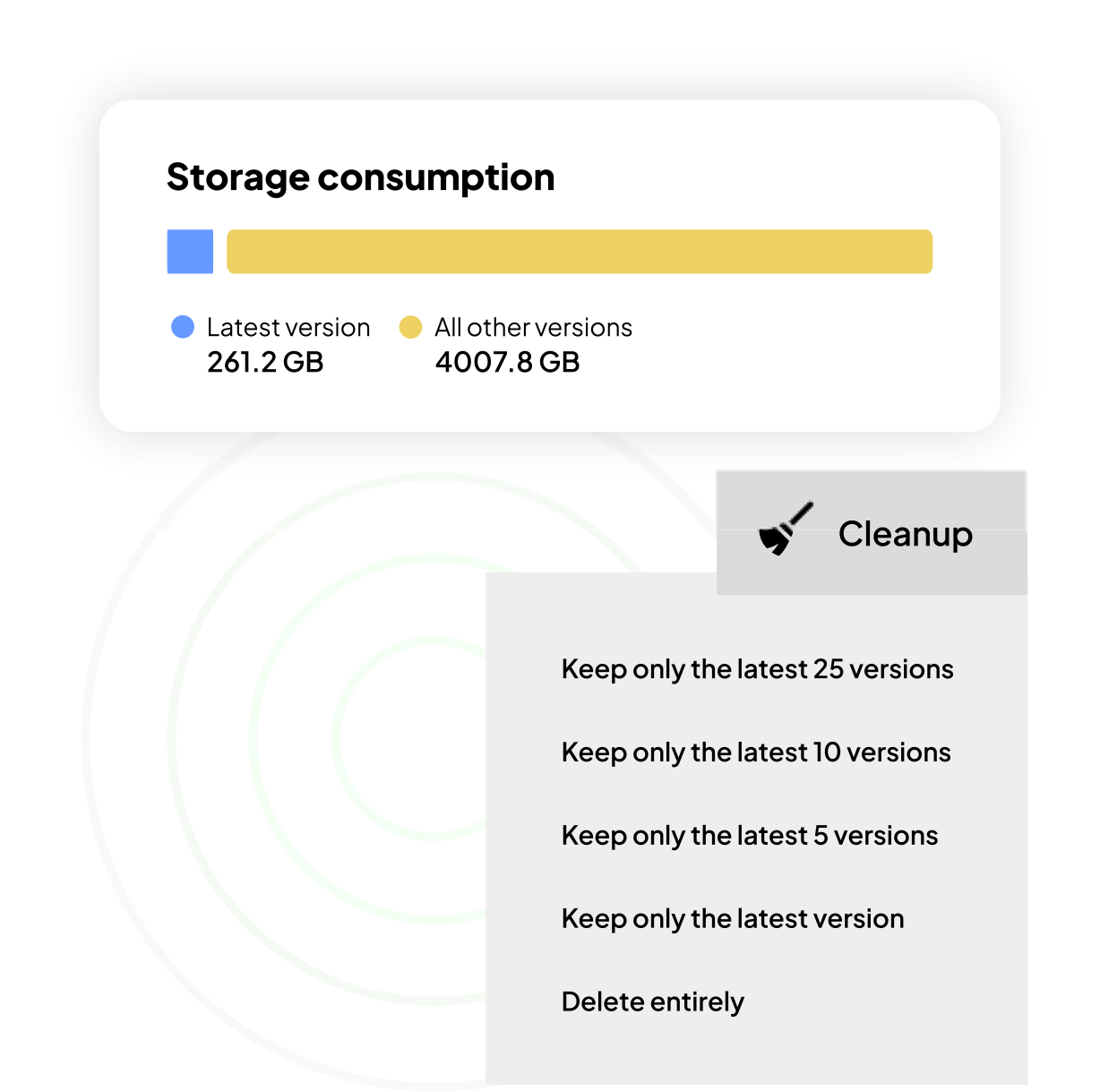
Trim unnecessary file versions

Identify files with a high number of versions which consume expensive storage.

With SProbot's version cleanup, you can choose to keep only the latest (or latest 5, 10 or 25) versions, or completely delete files which are obsolete and unwanted.

Version trimming is one of the fastest ways to free up a significant amount of storage.

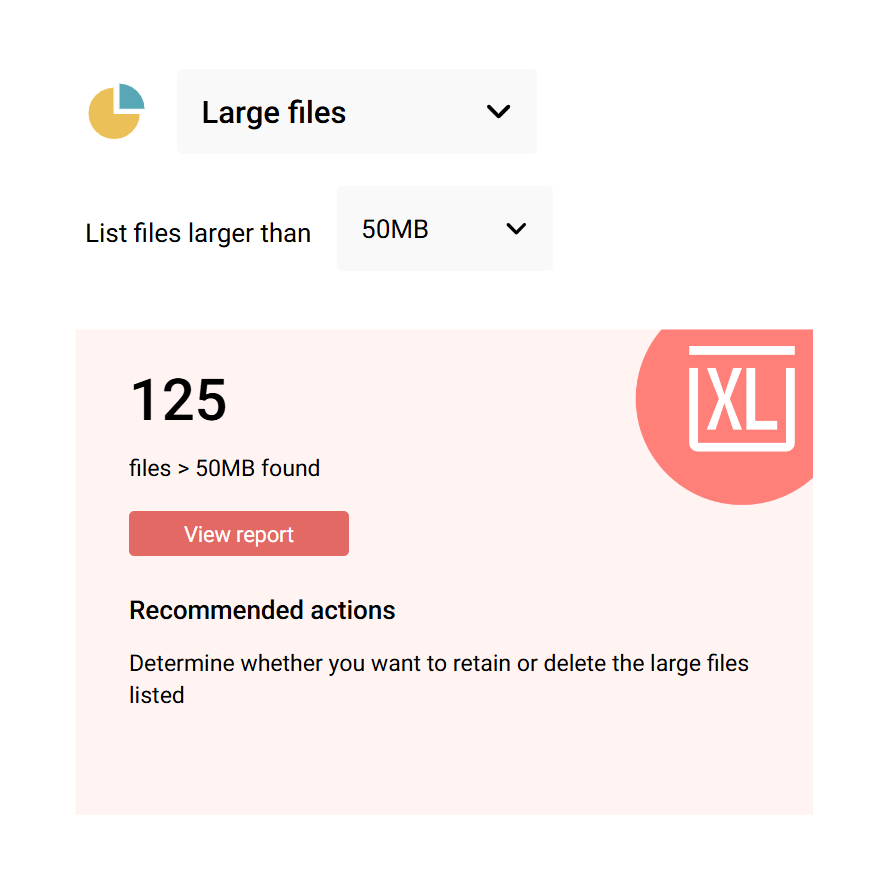
Find and delete large files

Do you know how many massive single-use files are hidden in your tenant?

Extra-large media files in the form of 8K videos, legacy database files, or backups usually don't require the collaborative functionality offered by SharePoint, and can be stored in lower-cost locations.

SProbot's large file cleanup report gathers detailed information about all files larger than the threshold you select, and then enables you to take immediate cleanup actions.

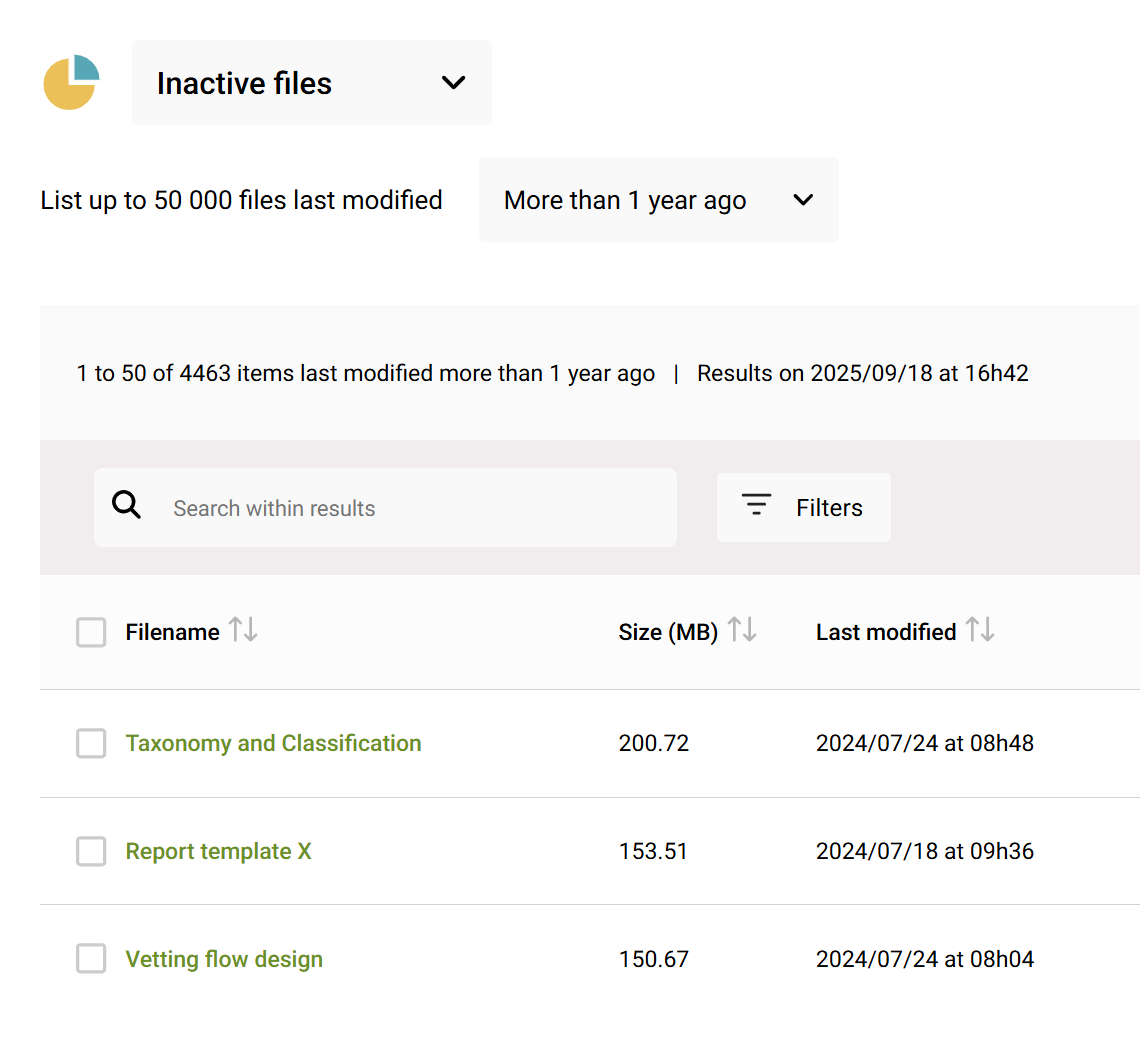
Clean up inactive files

Just because a SharePoint site shows up in the Admin Center as active doesn't mean all its content is.

Files which haven't been updated in a long time negatively affect search and collaboration.

SProbot's inactive file review automatically highlights sites which have high numbers of inactive items. Detailed reporting then enables you to search and filter to identify what can be safely cleaned up to free up valuable storage and improve your users' experience.

Automatically archive inactive sites
Sites and teams are created, but then plans change and they remain unused and forgotten, resulting in an unwanted build-up of clutter and unnecessary storage use.

Use the Inactives cleanup tool to automatically notify owners to review whether a site or team needs to remain active.

Owners can choose to renew, archive or delete. If no response is received, the workspace is automatically moved to cold storage using Microsoft 365 Archive.

Reduce the risks associated with orphaned data

Ownerless data is risky simply because there is no oversight of it.

It is easily lost, it clutters search results and results in duplicates, and it can often be accidentally shared with unwanted parties.

SProbot's orphan cleanup automatically identifies workspaces which do not have a group or site owner, then enables you to reassign or delete them as needed.

Reassign workspaces when people leave or change roles

When users leave (but their account is not deleted) or change roles, their sites and teams often end up functionally orphaned.

SProbot's reassignment tool enables to list all workspaces owned by a person, and then reassign ownership to their replacement.

Get rid of empties

Empty unused sites seem harmless because they don't consume much storage, but they clutter search results and make it harder for people find what they are looking for.

Use the AI-powered empty cleanup to find all sites which have skeleton structures (including libraries and folders) but no real content.

See how SProbot can help you cut storage costs

We'll show you how to save on storage, tame content sprawl, and improve security.

Get a demo