


SharePoint provides some basic reporting capabilities out of the box, but many organizations find these native options limited when it comes to getting a full picture of their SharePoint environment.
For SharePoint administrators who need deeper insights into site usage, storage, permissions, and content activity, several third-party solutions can fill the gaps. In this article, we focus on SharePoint reporting tools that analyze the state of SharePoint within a tenant.
Each tool provides one or more SharePoint reporting dashboards or analytics views which enables actionable insights for administrators.
1. SProbot - Comprehensive SharePoint Reporting Suite
SProbot is an all-in-one SharePoint reporting and cleanup tool built specifically to overcome SharePoint’s native reporting limitations. It offers a unified dashboard (called the Health Check) that covers storage, security, content, and user activity in your SharePoint Online environment.
SProbot not only displays data but also provides actionable recommendations (via its Recommended Reviews feature) to help admins clean up and secure their sites.
Key capabilities of SProbot
Holistic health check
A centralized SharePoint reporting health check showing tenant-wide metrics across Storage, Security, Content, and Activity. For example, admins can see total storage used, number of inactive sites, oversharing links, and active user counts at a glance. This holistic view spares you from jumping between multiple admin pages.
Storage insights and cleanup
Detailed reports on storage consumption, including largest sites, growth trends, and version history bloat. SProbot can project future storage growth and cost (useful for budget planning) and identify opportunities to reclaim space (e.g. unused large files or old versions). This goes beyond native SharePoint storage reports by answering “where can we clean up to save space?”

Security and permissions reporting
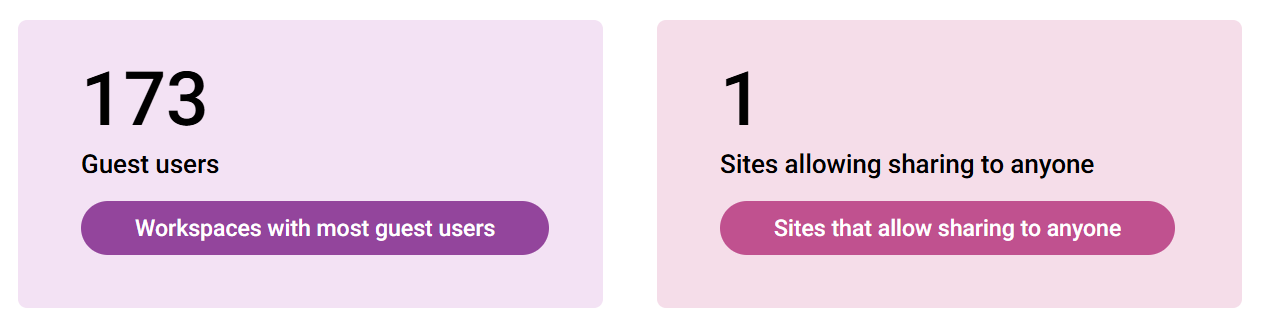
SProbot highlights potential security risks, such as overshared content or too many guest users. It can list all external users and sharing links in your tenant and pinpoint sites with broadly shared or orphaned content. This helps administrators address SharePoint permissions reporting needs by exposing who has access to what and flagging unusual access patterns.
Content and activity analysis
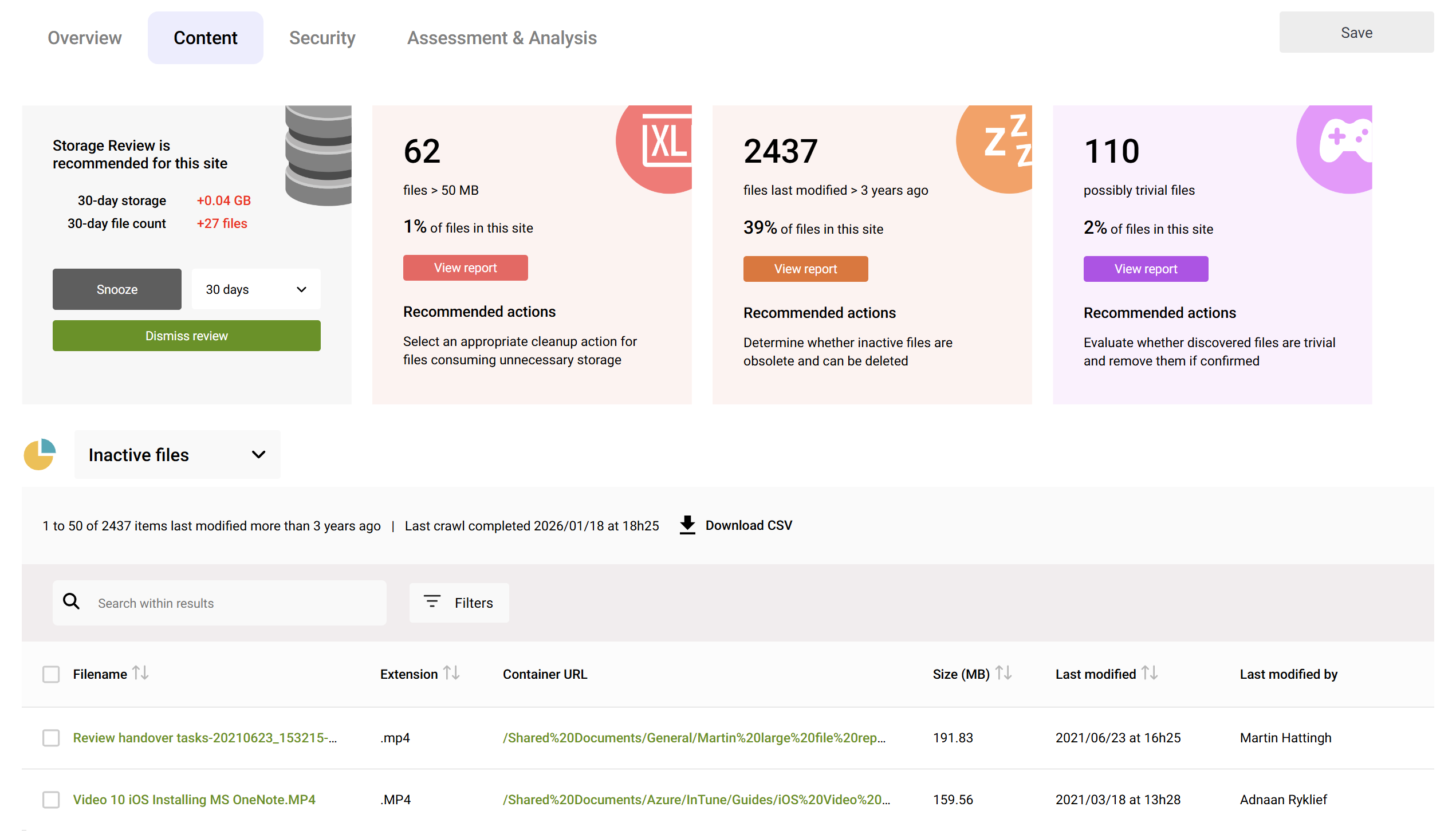
The tool identifies stale or inactive sites, inactive content within active sites, and even trivial content (files which unrelated to purpose of the site, or non-work-related) using AI. It tracks site activity trends over time, so you can spot when a site hasn’t been used in months or see spikes in activity. This is crucial for governance – for example, discovering which project sites might be candidates for archiving versus which are mission-critical based on usage.
Actionable recommendations
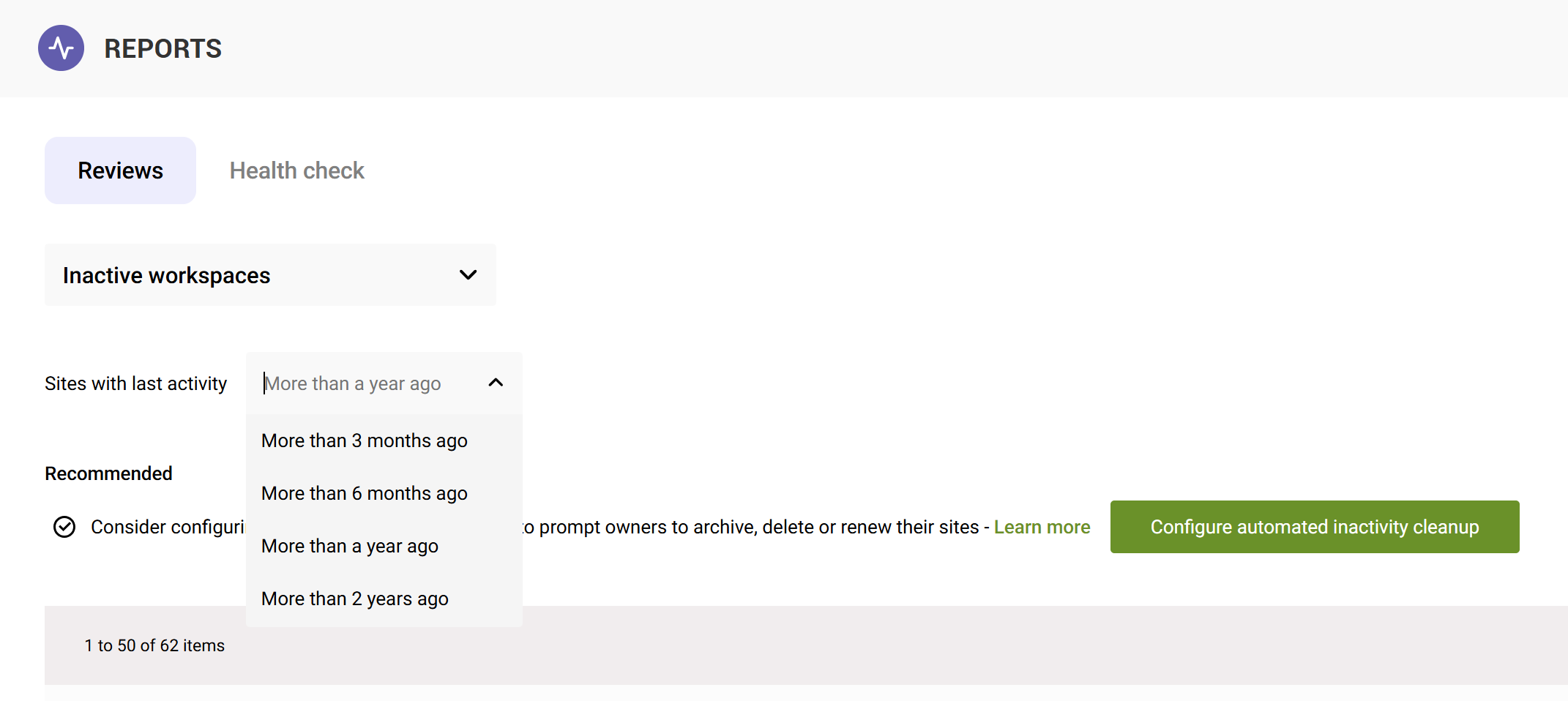
SProbot doesn’t just present data – it suggests next steps. Its Reviews feature surfaces specific issues (like a site with no owner, or a site with a high percentage of inactive files) and recommends actions to take. This guidance helps admins quickly address problems without having to manually interpret the data.
Summary
By combining all these features, SProbot effectively acts as a one-stop SharePoint reporting tool and governance assistant. It is particularly strong for organizations focused on SharePoint storage optimization, offering insights that would otherwise require stitching together many spreadsheets or scripts.
For a deeper dive into how SProbot fills gaps in native reporting, see our earlier post Beyond Native SharePoint Reports: How SProbot Fills the Gaps in SharePoint Reporting
In short, if you need a comprehensive SharePoint-focused reporting solution with built-in cleanup guidance, SProbot is a top choice.
2. Syskit Point – Unified M365 Reporting and Administration
Syskit Point is another leading platform that provides complete SharePoint Online reporting alongside broader Microsoft 365 management capabilities.
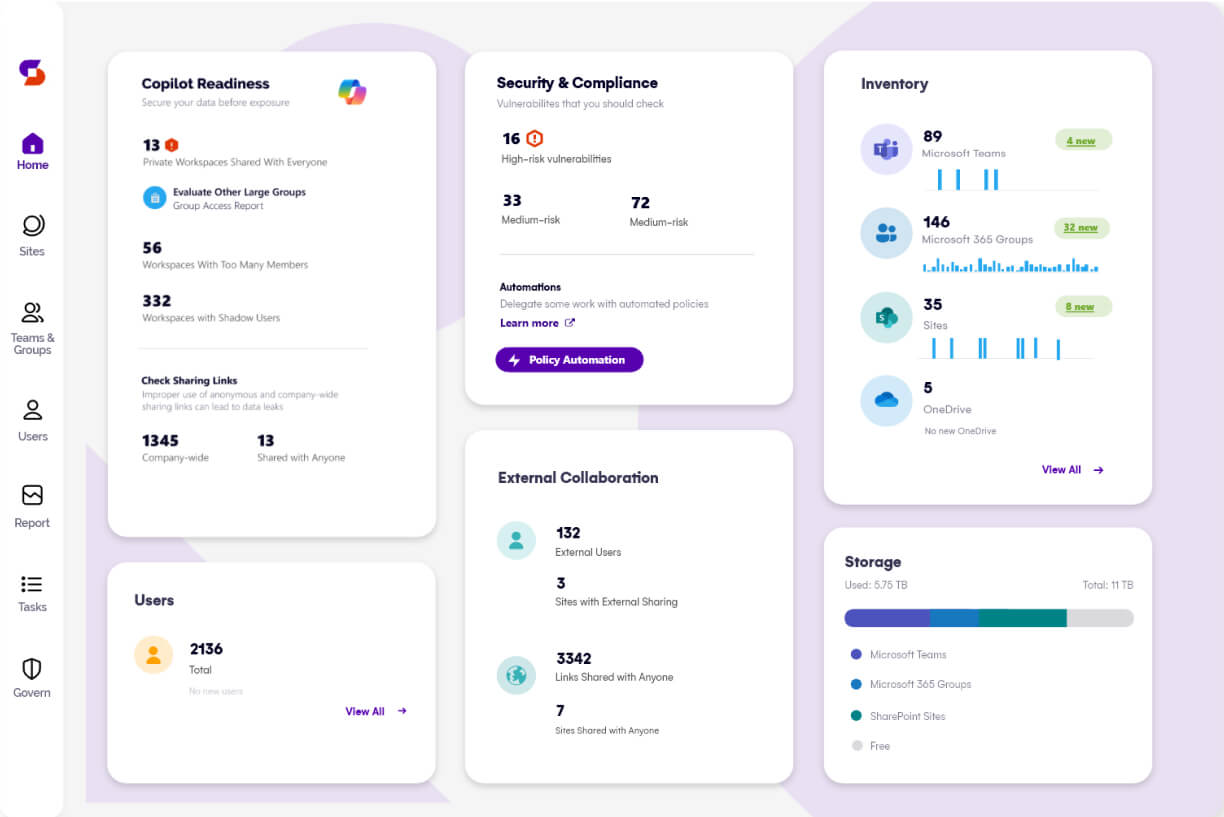
Syskit emphasizes a unified interface where admins can see all their SharePoint data (and other M365 services) in one place, addressing the common pain point of having to visit multiple admin centers. It’s often praised for its powerful permissions reporting and ability to take action on the results.
Key capabilities of Syskit Point
Comprehensive reports in one dashboard
Syskit Point consolidates reports on SharePoint usage, content, and user access into a single dashboard. You can instantly retrieve information like all sites a specific user has access to, which sites are most active or largest, and where sensitive content might be exposed. This unified overview saves time compared to native tools that are scattered across different interfaces.
Permissions and Access Management
Syskit is especially known for its permissions matrix reports. An admin can generate a detailed report of who has access to what across all SharePoint sites (and even Teams, Groups, OneDrive content) in the tenant. The report can reveal, for example, all external users and the files or sites they can access, or all content with unique (non-inherited) permissions. Importantly, Syskit lets you adjust permissions directly from the report – you can remove a user’s access or revoke a sharing link on the spot, which is extremely handy for closing security gaps quickly.
Usage and Activity insights
Syskit provides usage analytics such as site activity trends, number of active versus inactive sites, and even license utilization. You can identify inactive Teams or SharePoint sites (to consider for cleanup or archival) as well as track adoption (e.g., new sites or teams being created over time). This helps with governance and ensuring an organized environment free of abandoned workspaces.
Storage and License Reporting
The platform includes reports to find storage “waste” – for instance, sites consuming large storage with potential redundancy, or unused licenses in your Microsoft 365 subscription. Admins can spot where to reduce costs by cleaning up content or reallocating licenses.
Beyond SharePoint
While our focus is SharePoint, it’s worth noting Syskit Point spans the whole Microsoft 365 workspace (Teams, Groups, OneDrive, etc.). This means it’s useful if you want a single tool for reporting not just on SharePoint sites but on how your organization is using Microsoft 365 as a whole. For example, you could correlate SharePoint file activity with Teams usage in one report.
Summary
Overall, Syskit Point moves admins from reactive firefighting (finding issues after they cause trouble) to a proactive stance. With its rich set of SharePoint reports and integrated management actions, it’s a strong choice for organizations that need to continuously monitor and audit SharePoint permissions, usage, and compliance across a large tenant. If your priority is to see all Microsoft 365 reporting data in one place and quickly fix any issues, Syskit is a proven solution.
3. Orchestry - Governance and Insights for M365 (with SharePoint Analytics)
Orchestry is a Microsoft 365 governance and lifecycle management suite that also provides robust reporting and analytics for SharePoint, Teams, and more.
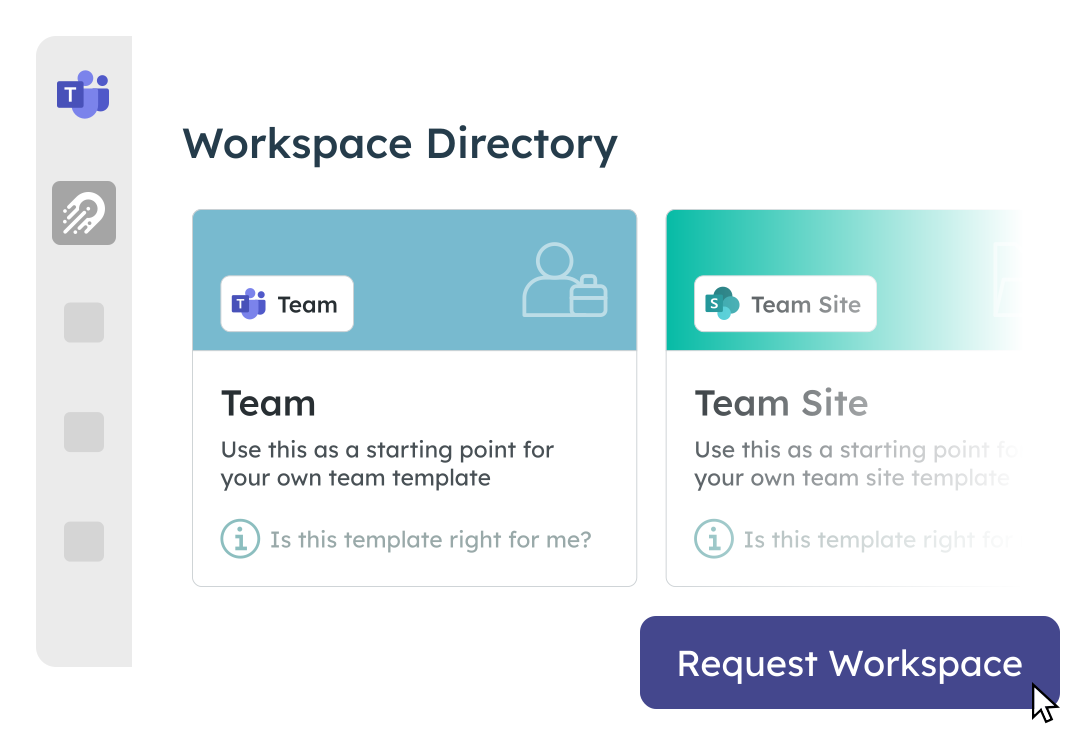
Its primary focus is on improving adoption and controlling sprawl by guiding users in how they create and use workspaces (like SharePoint sites or Teams). However, as part of this mission, Orchestry includes an “Actionable Insights” module which offers a variety of reports and dashboards for admins and even site owners.
Key capabilities of Orchestry
Simplified reporting interface
Orchestry’s reporting is designed to be simple and visually clear. All reports are accessible from a single interface, avoiding the need to jump between the SharePoint admin center, Teams admin, Power BI, etc. Its dashboards provide at-a-glance understanding without requiring heavy manual filtering. For example, an Orchestry dashboard can quickly show the total number of SharePoint sites, how many are actively used vs. dormant, and storage consumed.
Usage and adoption metrics
Orchestry tracks how workspaces evolve over time. An admin can see trends such as how a particular SharePoint site grew in storage and activity since creation, or when a team’s activity peaked and when it declined. This historical perspective(“the journey of a workspace”) is valuable for understanding adoption patterns that native SharePoint reports (often limited to 90-180 day windows) might miss. It effectively extends reporting in SharePoint Online to cover longer periods and more meaningful usage patterns.
Cross-platform insights
Orchestry provides analytics across Teams, SharePoint, and Microsoft 365 Groups. For instance, you can get combined reports that show the relationship between a Team and its underlying SharePoint site (files, activities, membership changes, etc.). It monitors things like how many Teams have been created, how many SharePoint sites exist and their owners, and even Exchange group activity - connecting the dots across M365.
Governance and lifecycle focus
Uniquely, Orchestry ties its reporting to governance actions. It not only reports on usage but also helps implement policies (like enforcing naming conventions, requiring periodic site recertification, etc.). For example, if Orchestry’s report shows many inactive sites, you can trigger Orchestry’s lifecycle management to archive or prompt owners of those sites. Its strength lies in blending analytics with automation – the reports tell you what’s happening, and the platform also lets you enforce rules to keep things orderly.
Summary
For organizations concerned with Microsoft 365 governance but also wanting rich SharePoint usage insights, Orchestry provides a balanced solution. It may not dive as deeply into some SharePoint-specific storage details as for example SProbot does, but it gives a broad and actionable picture of your collaboration environment.
Orchestry is especially useful if you want to empower not just admins but also site owners with insights (in a safe, controlled way) to improve their workspaces. In summary, Orchestry is less about pure data output and more about transforming that data into a governance strategy, making it a powerful tool to manage SharePoint reporting in the context of overall Microsoft 365 usage.
4. Rencore Governance – Advanced policy-based Reporting
Rencore Governance is a solution geared towards organizations with strict compliance and governance requirements across Microsoft 365, including SharePoint.
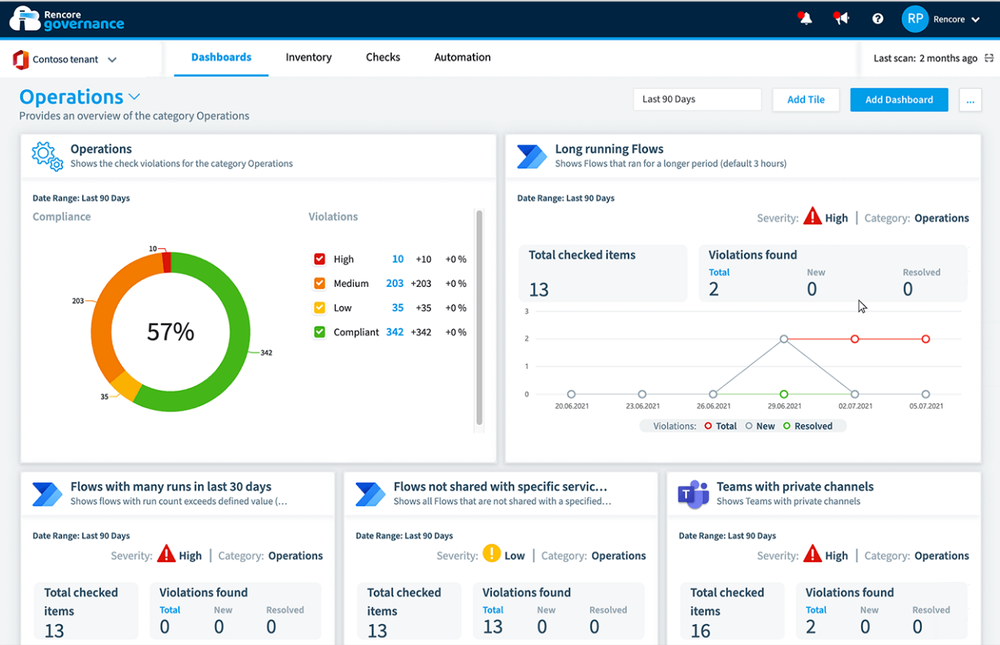
Rencore’s platform is highly configurable and provides dynamic reports and dashboards to continuously monitor your environment against set policies. Think of it as a rules-driven approach: you define what “healthy” means (e.g., no more than X% of sites without an owner, sensitive content must not be shared externally, etc.), and Rencore will scan your SharePoint (and other services) and report on any deviations.
It’s a bit different to a straightforward reporting tool – it’s a governance engine with reporting as the front-end to show results.
Key capabilities of Rencore Governance
Policy-driven reporting
At its core, Rencore lets you set up a wide range of rules or policies for SharePoint Online and other M365 services. It comes with a library of pre-built policies (over 500 across M365) for common concerns – such as identifying sites with no recent activity, files shared publicly, or user accounts with certain risky configurations. The tool continuously evaluates your tenant against these policies and generates reports highlighting where attention is needed.
Comprehensive inventory and analysis
Rencore Governance maintains an up-to-date inventory of your SharePoint assets (sites, lists, documents, users, permissions) and can slice this data in reports. For example, you can create a report of all SharePoint sites that have more than 1000 documents and no activity in 6 months, or a report listing all documents labeled as sensitive that are shared with guests. The reporting capabilities are very flexible – if the data is in your tenant, you can likely create a custom report or alert on it in Rencore.
Dashboards and visualizations
The platform offers dashboards to visualize the state of your environment at a high level. An admin dashboard might show a compliance score or highlight the number of policy violations in different categories (security, usage, content). These visualizations are updated continuously, essentially giving you a living health report of your SharePoint. This is useful for SharePoint reporting at an executive level – e.g., demonstrating governance compliance or risk areas via charts and KPIs.
Automation and remediation
While not exactly a reporting feature, it’s worth noting that Rencore can also automate responses when certain conditions are met. For instance, if a report finds a site with no owner, Rencore can be set to notify the governance team or even assign a secondary owner automatically. This closes the loop between finding issues and fixing them.
Summary
Rencore Governance stands out for organizations that need deep insights tied to governance controls. It might be more than what a small team needs if you only seek basic SharePoint site reporting. But for larger enterprises where SharePoint data reporting is part of a bigger compliance puzzle, Rencore provides peace of mind. It ensures that reporting isn’t just a periodic activity but a continuous process with the ability to enforce governance. If your definition of “best SharePoint reporting tool” includes strong compliance auditing and the flexibility to define custom checks, Rencore is an ideal candidate.
5. Lightning Tools (DeliverPoint) – SharePoint Permissions Reporting Specialist
Lightning Tools offers a suite of SharePoint add-ons, with their flagship admin product DeliverPoint focusing on permissions reporting and management.
Unlike the broader platforms above, DeliverPoint is a more specialized tool – but it addresses a crucial aspect of SharePoint administration: understanding and controlling who has access to what. If your primary reporting need is answering permission-related questions (for example, “Which users have access to this site or file?” or “What does user X have access to?”), Lightning Tools DeliverPoint provides user-friendly answers.
Key capabilities of Lightning Tools DeliverPoint
Site and item-Level permissions reports
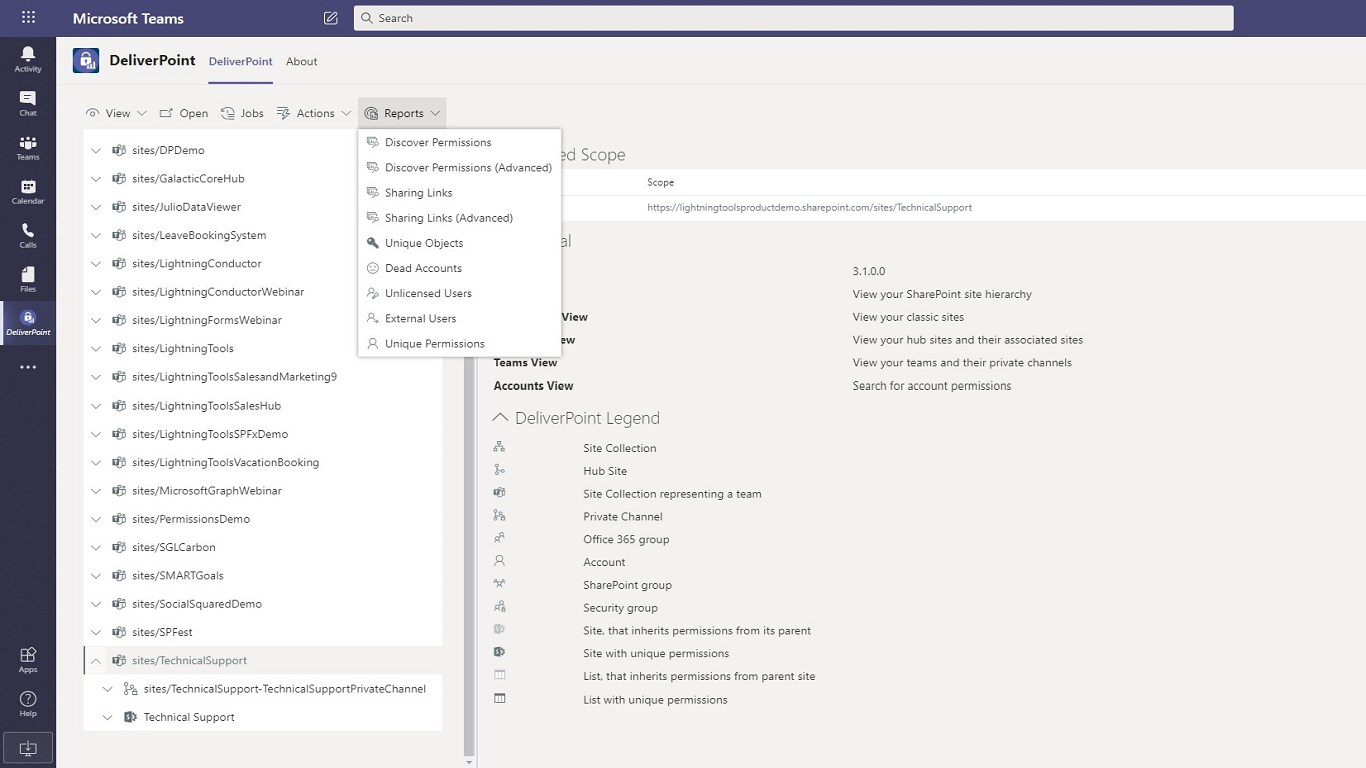
DeliverPoint allows SharePoint administrators (and even site owners, if authorized) to generate reports on permissions for any site, library, or item. For instance, you can navigate to a site and run a “permissions report” that lists all users and groups with access and their permission levels. This is extremely useful for periodic audits or before making sensitive content available – you can quickly verify that only the intended people have access.
Unique permissions detection
It highlights content that has unique permissions (broken inheritance) within a site. SharePoint environments often get messy with ad-hoc permission changes, and it’s hard natively to find all places where inheritance is broken. DeliverPoint can enumerate those so you can address potential security oversights (like a single file or folder shared with external users that might be forgotten).
Permission management actions
In addition to reporting, DeliverPoint includes tools to modify permissions in bulk. You can copy or transfer permissions from one user to another (handy when someone leaves the company), remove a user from all sites in one operation, or clean up unused SharePoint groups. This goes hand-in-hand with the reporting – once you see who has access, you can adjust it right there.
Integration in SharePoint UI
A nice aspect is that DeliverPoint integrates directly into the SharePoint interface (as an extension in SharePoint Online or a solution in on-premises).This means as an admin you might see a DeliverPoint option in your SharePoint site settings, making it feel like a natural extension of SharePoint. You don’t have to go to a separate app or service; reporting on permissions can be done in context while you’re browsing a site.
Summary
Lightning Tools’ DeliverPoint is not a full analytics suite– it won’t give you charts of activity trends or storage forecasts. However, for many SharePoint administrators, permission reporting is a constant need and something that’s cumbersome with native tools (which require checking each site or using PowerShell). DeliverPoint fills that gap neatly. Many organizations use DeliverPoint alongside a more comprehensive tool, or on its own if their main concern is managing permissions safely. In summary, it’s one of the best SharePoint reporting tools if your definition of “reporting” centers on security and access control visibility.
6. Other Notable SharePoint Reporting Tools and Solutions
Beyond the primary players above, there are a few other tools worth mentioning in the SharePoint reporting and analytics space. Each of these caters to specific needs or niches that might align with what you’re looking for.
ShareGate
Known primarily for its migration tool, ShareGate also offers a governance product in the form of ShareGate Protect.
This tool provides insights into Microsoft 365 and SharePoint usage, focusing on areas like external sharing, inactive teams/sites, and lifecycle management. It includes ready-made reports for things like unused Office 365 Groups or sites with no recent activity, and can automate sending owners periodic reminders (e.g., “do you still need this site?”). ShareGate Protect's strength is simplicity - it surfaces the most important indicators for keeping your environment tidy and secure, though it may not have as much detail as tools like Syskit or Rencore. It’s a good option if you’re already in the ShareGate ecosystem or need light-touch governance reporting.
AvePoint
AvePoint is a large Microsoft 365 solutions provider with several relevant tools. For SharePoint reporting, AvePoint tyGraph is a component that provides dashboards on activity and content, and AvePoint Policies & Insights can report on and enforce governance rules (like inactive site reports, external user reports, etc.)
Their products are often part of a bigger suite (for backup, migration, etc.), but if your organization uses AvePoint, you likely have access to these reporting features. AvePoint’s reporting is enterprise-ready and comprehensive, comparable to the capabilities of Rencore in many ways (pre-built policies, compliance focus, etc.), but it tends to be bundled with other services at a higher price point.
CardioLog Analytics
A specialized analytics solution focused on SharePoint usage analytics and user behavior. CardioLog collects detailed usage data (page views, user navigation paths, search queries, etc.) from SharePoint to help you understand content popularity and user engagement.
It’s more about SharePoint data visualization in terms of web analytics (think Google Analytics for SharePoint intranets) than admin governance. If your goal for SharePoint reporting is to see how employees are using your intranet or which content is most engaging, CardioLog or similar analytics tools could be the answer. This is a different angle than administrative reporting: CardioLog won’t list broken permissions or storage stats, but it will show usage trends and can power dashboards on a SharePoint portal’s effectiveness.
Power BI with Microsoft 365 usage analytics
While not a third-party tool, it’s worth noting that Microsoft provides a Power BI template for Office 365 usage analytics. Admins can connect this to their tenant and get interactive reports on SharePoint file activity, active users, storage utilization, etc.
This solution can be considered if you prefer a DIY approach: it gives a nice overview especially for reporting to management. However, it’s read-only and limited to the metrics Microsoft exposes (and requires a Power BI license). Many of the third-party tools we discussed actually present similar data but with more flexibility and without the need to constantly update Power BI. Still, for some organizations, using Power BI and native reports together can cover basic needs without additional cost.
Conclusion: Choosing the right SharePoint reporting solution
- If you need a dedicated SharePoint reporting solution that dives deep into storage-specific issues with guided fixes, SProbot is a strong contender. It’s built for SharePoint admins who want an all-encompassing view and proactive recommendations to reduce storage costs and improve data hygiene.
- If your focus is permission auditing and cleanups above all, a specialized tool like Lightning Tools DeliverPoint might suffice and can be very convenient for day-to-day access management tasks.
- For a broader Microsoft 365 governance approach that includes SharePoint analytics, consider Orchestry (if you value adoption insights and lifecycle management) or Rencore (if you need custom policy enforcement and compliance reporting). These go beyond just SharePoint to cover Teams, Groups, and more, which can be a big advantage if your scope is wider than SharePoint alone.
- If you’re looking for a balanced, all-in-one admin toolkit with strong reporting, Syskit Point offers a bit of everything – from unified dashboards to actionable reports – making it ideal for IT teams that want to both monitor and manage their environment from one interface.
- Don’t forget to compare what you get out-of-the-box with Microsoft 365. For some, the native admin center reports and a Power BI dashboard might cover the basics. But as we’ve highlighted, native SharePoint reporting capabilities often leave gaps in historical data, cross-site visibility, and actionable detail, which is where these third-party tools prove their value.
In summary, SharePoint reporting can be greatly enhanced with the right tool. All the tools mentioned can transform raw SharePoint data into meaningful information and beautiful visualizations, whether that’s through a comprehensive dashboard or targeted reports.
By investing in a good reporting tool, you’ll empower your administrators to make informed decisions, maintain a healthier tenant, and ultimately get the insights you need to ensure that your SharePoint deployment delivers value.