
Enable file-level archiving on your tenant
SProbot's inactive file archiving enables you to archive all files in a site which haven't been modified in more than 3 years with a single click. You can also select to trim to the latest version as part of the process, but before you can do so you need to have Microsoft 365 Archive enabled on your tenant.
What is Microsoft 365 Archive?
Microsoft 365 Archive enables cost-effective storage of inactive SharePoint files and sites by moving them to a storage layer which is less accessible but billed at a lower rate than active storage.
Archiving is available at both site and file level, with file-level offering more flexibility and a better user experience.
Find out more about:
How do I enable file-level archiving on my tenant?
To enable file-level archiving, you need to set up Microsoft 365 Archive for your tenant.
In most instances, when you enable Microsoft 365 Archive, the file-level functionality is enabled automatically. If it has for some reason been disabled, you can also manually manage it.
How do I know if archiving is enabled on my tenant?
There are several ways across the admin center, SharePoint UI and SProbot to see whether archiving is enabled.
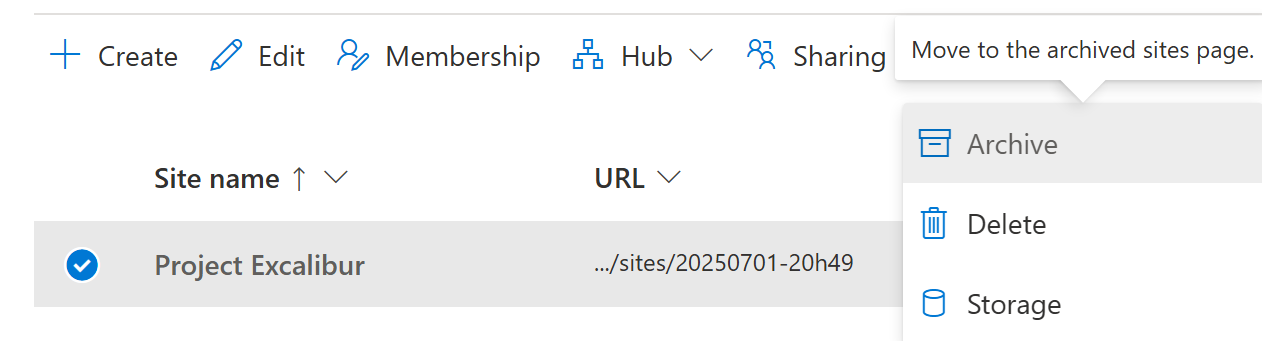
In Active sites in the Admin Center
One of the actions available for a site in the Admin Center is to archive a site.
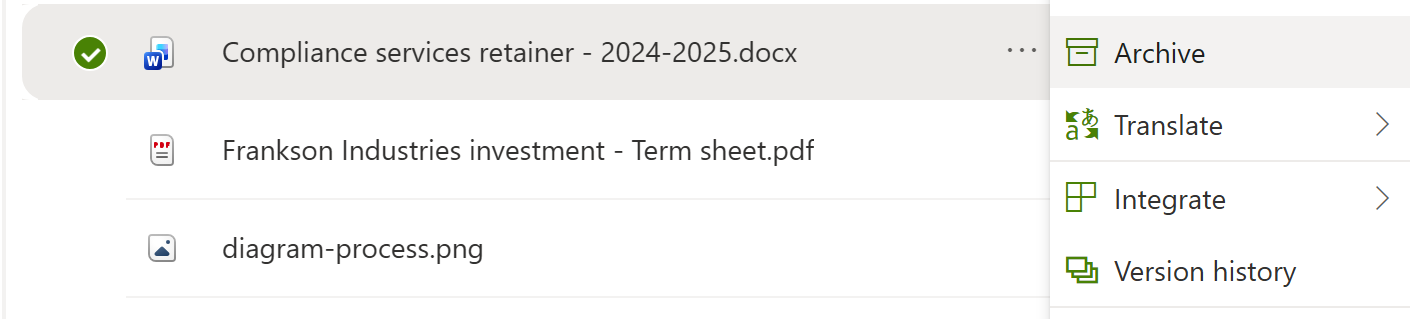
In the SharePoint document library UI
One of the actions available for a file when archiving is enabled is Archive or Reactivate (if it's already archived).
In SProbot
If file-level archiving isn't enabled on your tenant, you'll see the Trim & archive button disabled in Cleanup recommendations on your dashboard.

Does SProbot support both file and site-level archiving?
Yes, SProbot enables you to archive sites from any of the Reviews, and to bulk-archive all files within a site from the dashboard or within the specific site's content report.
What's next?
Use cleanup recommendations to reclaim storage with just a few clicks.