


TLDR
File-level archiving in SharePoint allows administrators to move individual inactive files into Microsoft 365 Archive, a lower-cost storage tier, while keeping sites active. This can reduce storage costs by up to 75 percent compared to purchasing additional SharePoint storage, but actual savings vary by tenant.
How much you save depends on three factors: how much inactive data you have, whether your tenant is over its included storage quota, and which files you choose to archive. Archiving does not delete data or automatically cut costs entirely; it changes how storage is billed at the tenant level.
Before archiving files at scale,you need visibility into where storage is consumed, which files are inactive, and how those files map to cost drivers. This is where careful analysis and reporting matter more than the feature itself.
What is file-level archiving in SharePoint?
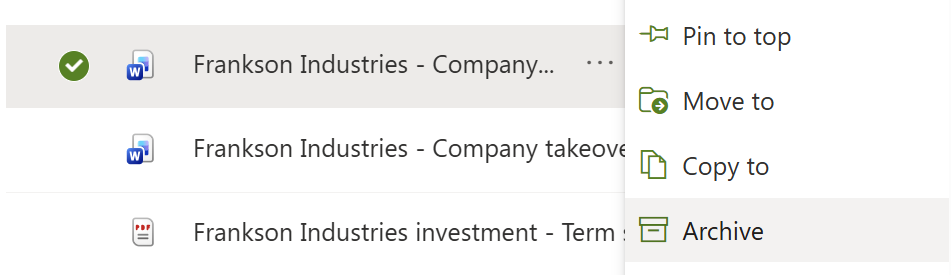
File-level archiving is a new capability in Microsoft 365 Archive that allows individual files within active SharePoint sites to be archived to a cold storage tier. Unlike site-level archiving, the site remains online and usable, while only selected files are archived.
Archived files stay in their original libraries with metadata, permissions, and version history intact. They are visible to users but must be reactivated before they can be opened. Archiving is non-destructive and reversible, supporting long-term retention and compliance requirements.
🔗 Read more about file-level archive functionality
How SharePoint storage costs work with Microsoft 365 Archive
Active vs archived storage
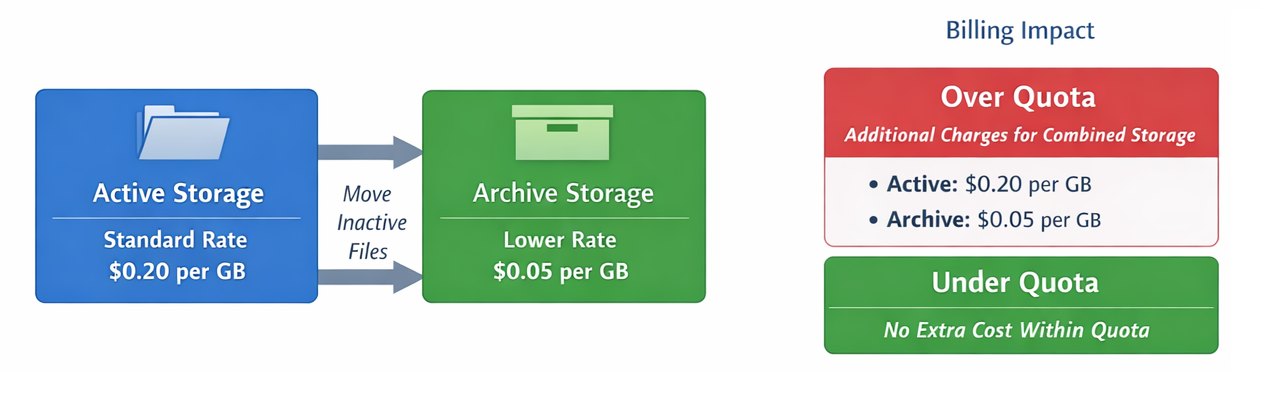
Standard SharePoint storage is billed at the regular SharePoint rate of $0.20/GB/month, while archived storage is billed at a significantly lower rate of $0.05/GB/month.
Content moved into Archive storage consumes 75% less of your budget than it would have in active storage.
Why archiving does not automatically reduce your bill
Archiving changes the classification of storage, not the total amount of data stored. Microsoft only charges for archived storage when a tenant’s combined active and archived storage exceeds its included SharePoint storage quota. If your tenant is under quota, archived storage will incur no additional charge at all.
For any storage over the tenant's quota, you are billed at either the full rate or the archived rate.
In practice, savings are realized only when archiving reduces the volume of storage billed once your tenant exceeds its quota.
When file-level archiving delivers the most value
File-level archiving is particularly effective for long-lived SharePoint sites that remain active but contain large volumes of historical files. Departmental sites, project spaces spanning multiple years, and collaboration hubs with mixed content ages are common examples.
For sites which are inactive in their entirety, site-level archiving remains appropriate. For content with no business or compliance value, deletion is still the most effective option.
What actually drives savings from file-level archiving
The presence of the feature alone does not guarantee cost reduction. Real savings depend
- The composition of content in your tenant
- How you plan and execute archiving
Many organizations store significant volumes of rarely accessed data in active storage, often for years after business relevance has faded. Archiving that content shifts it to a lower-cost tier, but only the portion affecting over-quota usage translates to cost savings.This means that it's important to understand:
- The total volume and size of inactive files across all sites tenant-wide
- The extent to which active SharePoint sites contain high percentages of inactive files
- The size distribution of those files, especially large individual files
- How close your tenant is to (or beyond) its included storage quota
- Ongoing storage growth patterns across sites over time
Estimate your potential savings
Determining the volume and cost impact of savings requires detailed review of where inactive files are, how many there are, how large they are, and how operationally relevant they still are.
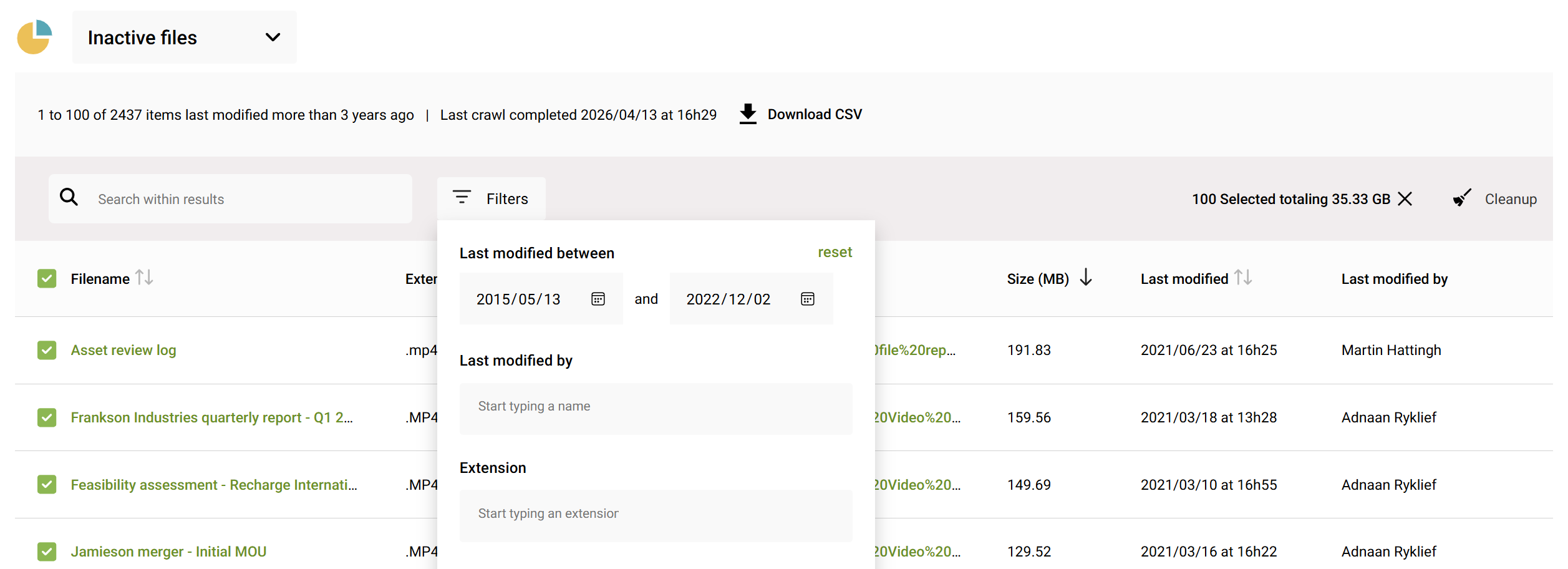
Identify inactive files
Start by identifying files that have not been accessed or modified for extended periods. File-level archiving is most valuable for files that must be retained for reference, audit, or compliance reasons but are not actively used.
This analysis should focus on files, not sites. Even actively used sites often contain years of inactive content mixed with current work.
Quantify storage tied up in inactive files
Next, calculate how much storage these inactive files consume.
SProbot helps you quantify this by reporting on individual file sizes, file ages, and site-level storage usage.
Compare active and archived storage costs
Using Microsoft’s pricing model and data from SProbot about potentially archivable content, project the differences between buying additional standard storage, and moving a portion of content to archive.
On most tenants, 15-30% of content could potentially be archived.
Why most organizations miscalculate archive savings
Common mistakes include:
- Assessing total storage without understanding file-level composition - Inactive files are spread across the tenant, often without consistent patterns. It's not possible to make assumptions about where the largest impact might be.
- Treating archiving as a one-time clean-up instead of an ongoing process - As content ages, its suitability for archiving increases. This makes archiving an ongoing operational asess-and-process action.
- Archiving without evidence of inactivity or storage impact - Archiving's primary benefit is storage cost reduction, so it's important to accurately measure both candidates for savings, and actual savings achieved.
Where SProbot fits into file-level archiving decisions
SProbot provides the reporting and analysis needed to make informed archiving decisions. It helps by:
- Flagging oversized files that drive storage growth
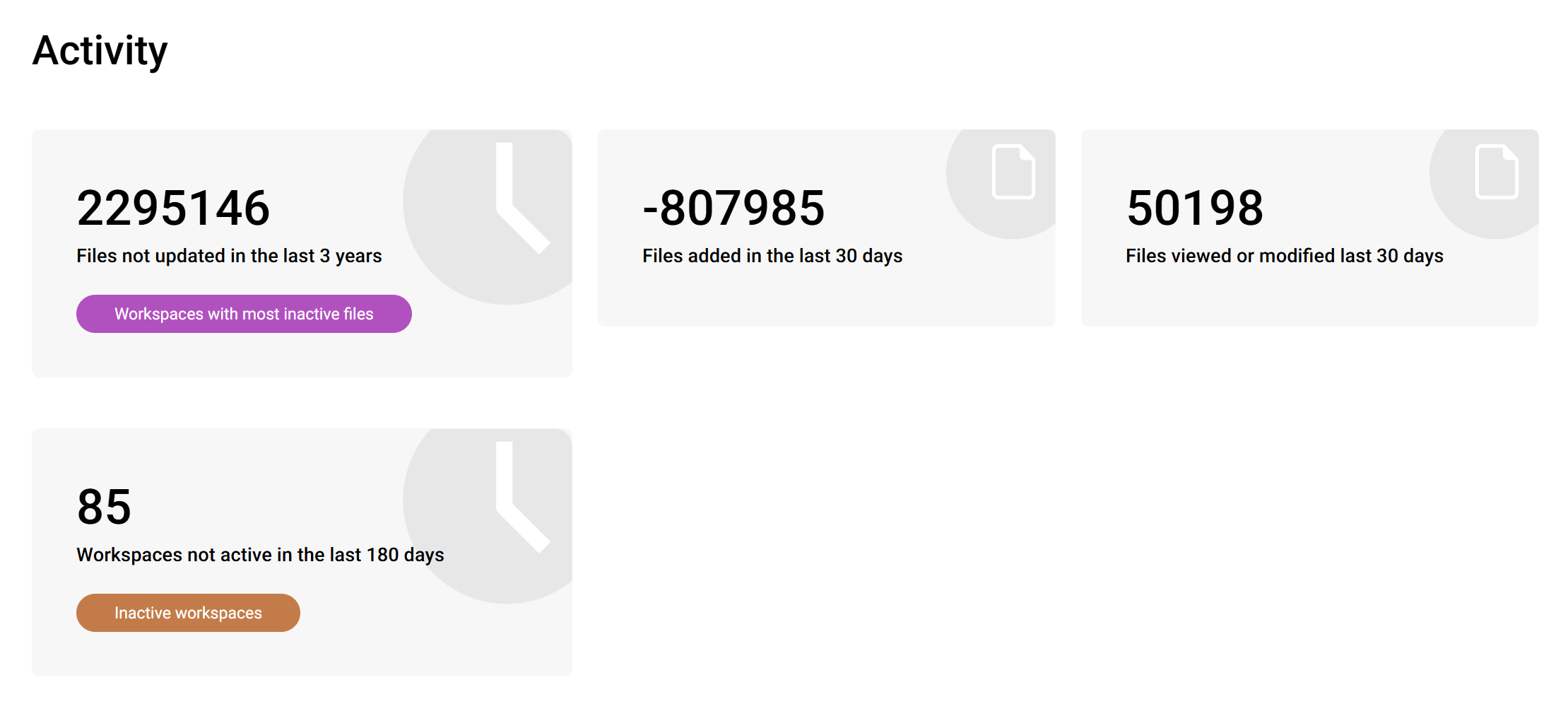
- Finding inactive files tenant-wide, even in sites which are otherwise active
- Reporting on storage consumption and trends across SharePoint sites
- Highlighting candidates for review before archiving decisions are made
This evidence-based approach ensures file-level archiving is applied where it delivers measurable value, rather than relying on assumptions.
FAQs
Does file-level archiving delete files?
No. Archived files remain stored in SharePoint with permissions, metadata, and version history preserved. They can be reactivated when needed.
Are archived files protected by retention and compliance policies?
Yes. Archived files retain compliance, retention, and security controls while in Microsoft 365 Archive.
Is archiving free if my tenant is under storage quota?
Archived storage is only billed when your tenant’s total storage exceeds its included quota. If you remain under quota, archiving may incur no additional cost.
Can users archive files themselves?
Users with appropriate permissions can archive files within SharePoint once the feature is enabled, without administrator intervention for each file.
Do archived files show up in search results?
No. Archived files are hidden from normal search, and are not cited or referenced by Copilot either.