
Review fast-growing sites to free up storage
SProbot highlights sites which have increased most in size in the last 30 days. This enables you to identify possible candidates for cleanup through version trimming or file deletion.
Why should this be reviewed?
Besides for the obvious fact that large sites consume more storage than smaller sites, growth which has suddenly increased signficantly might point to underlying facts like user-initiated migrations or addition of files which might not be suitable for SharePoint.
In short, it's useful to have visibility of site-level growth to spot trends and possible problems.
How do you see which sites have grown fastest?
In Reports > Reviews, choose the Workspaces by 30-day growth review.
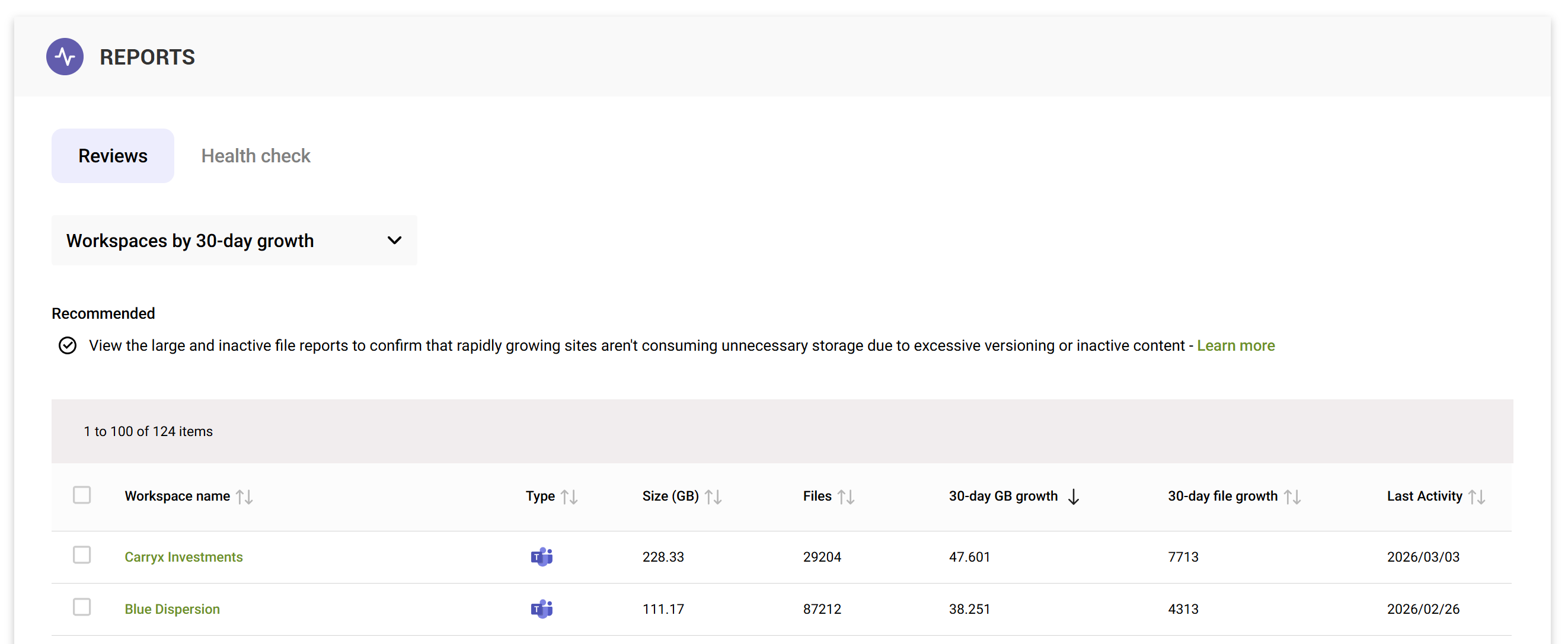
The default sort order highlights sites which have grown the most in GB terms, but you can also sort on 30-day file growth.
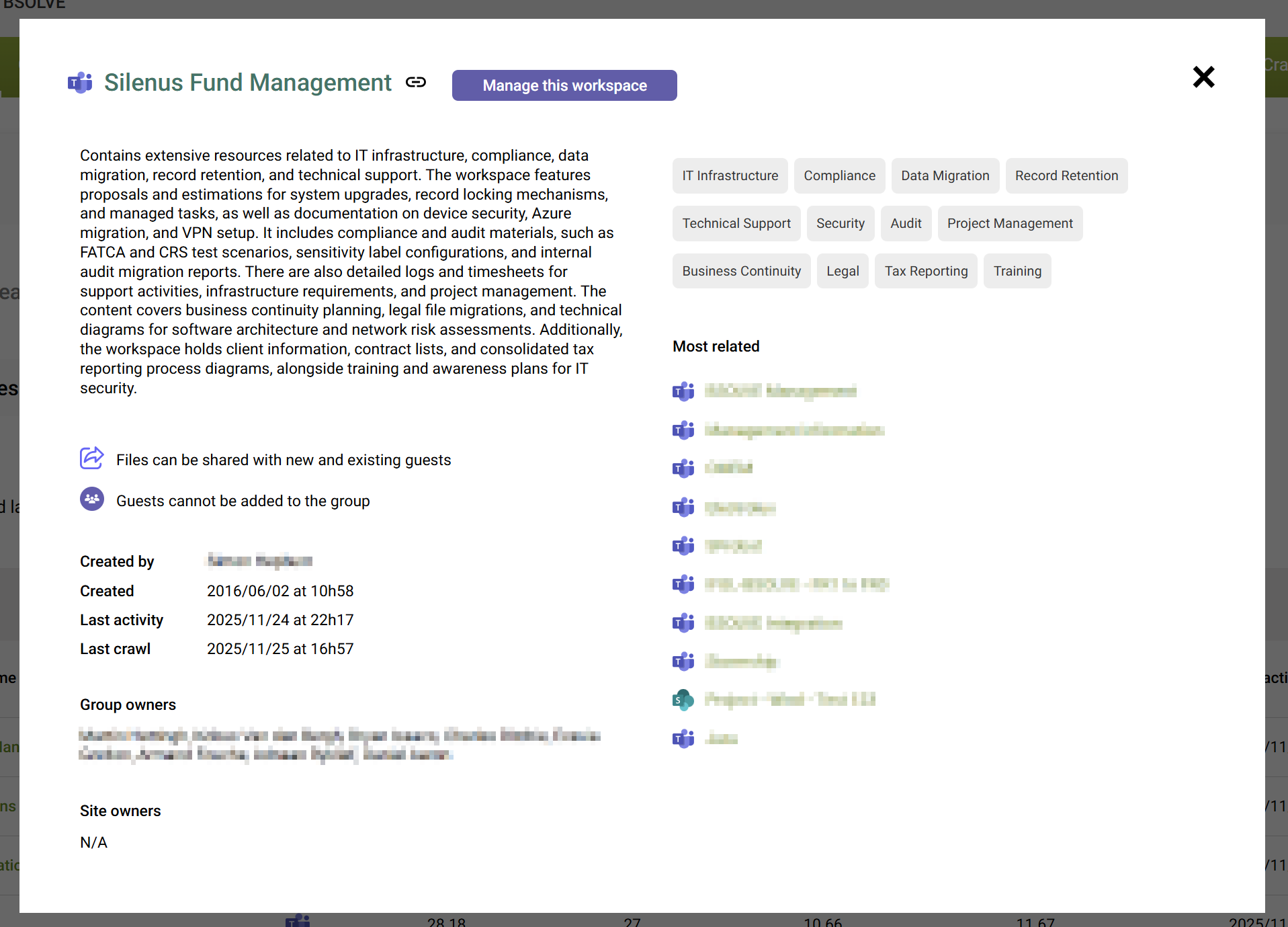
To drill into detailed information for a specific site, open its preview and select to Manage this workspace.
How do I clean up large files?
Open the site's content tab to see the large, inactive and trivial file summaries.
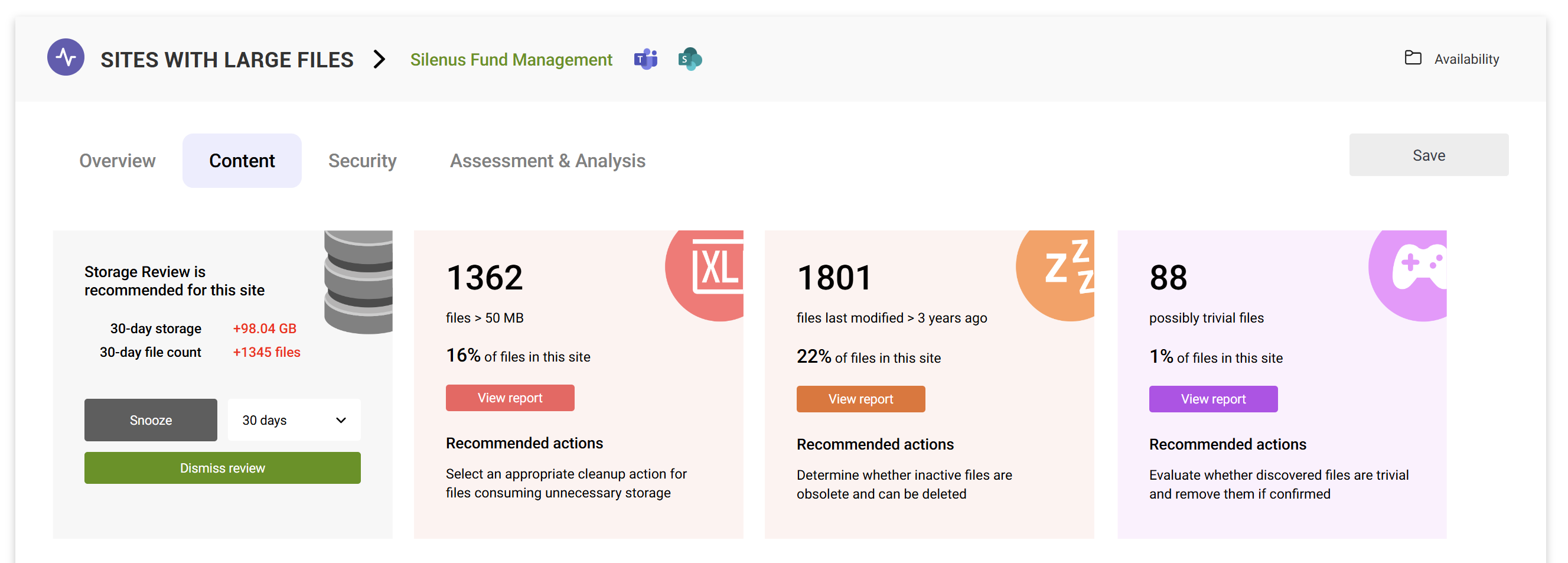
You can then use the detailed large file report to delete or trim versions.
What if I do not see the review?
The Workspaces by 30-day growth requires at least 30 consecutive days of storage logging by SProbot, and specific sites need to have been crawled to see versioning information. If a site hasn't been crawled yet, SProbot will not have any visibility yet of whether it contains large files. If you have recently started using SProbot, you will need to wait for all your sites to be crawled at least once.