
Review sites with large files to free up storage
SProbot highlights sites which contain large files which might be candidates for cleanup through version trimming or file deletion.
Why should this be reviewed?
Besides for the obvious fact that large files consume storage, large files with many versions can consume an extraordinary amount of storage because every version is a full copy (with changes) of the previous version.
For example, a 125MB file with 350 versions consumes close to 44GB.

By identifying large files with an unnecessary number of versions (or just large files which are not needed anymore) you can free up a significant amount of storage.
How do you see which sites contain large files?
In Reports > Reviews, choose the Sites with large files review.
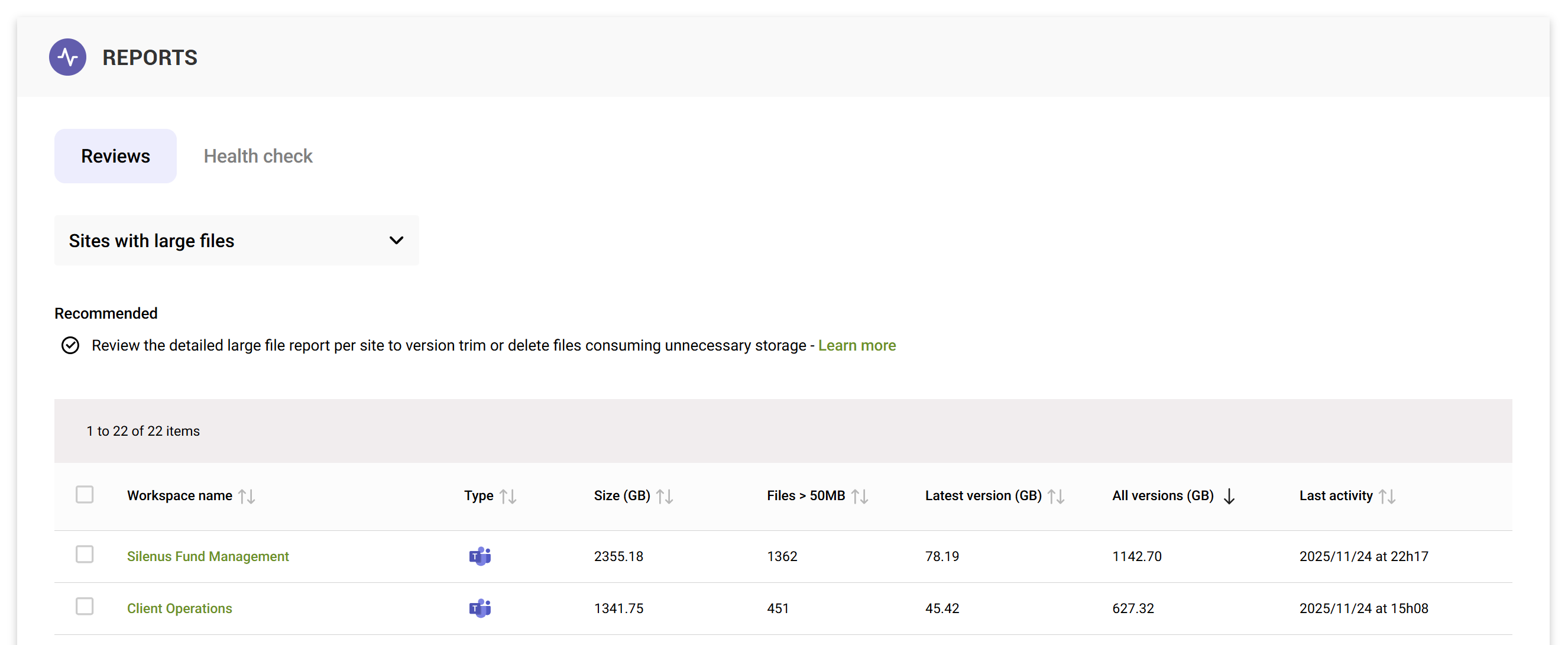
The default sort order highlights sites which contain the most versioning data, the All versions (GB) column.
To download a report of all sites listed for further review in Excel, use the Download CSV button. The exported file contains the same set of fields as the on-screen view.

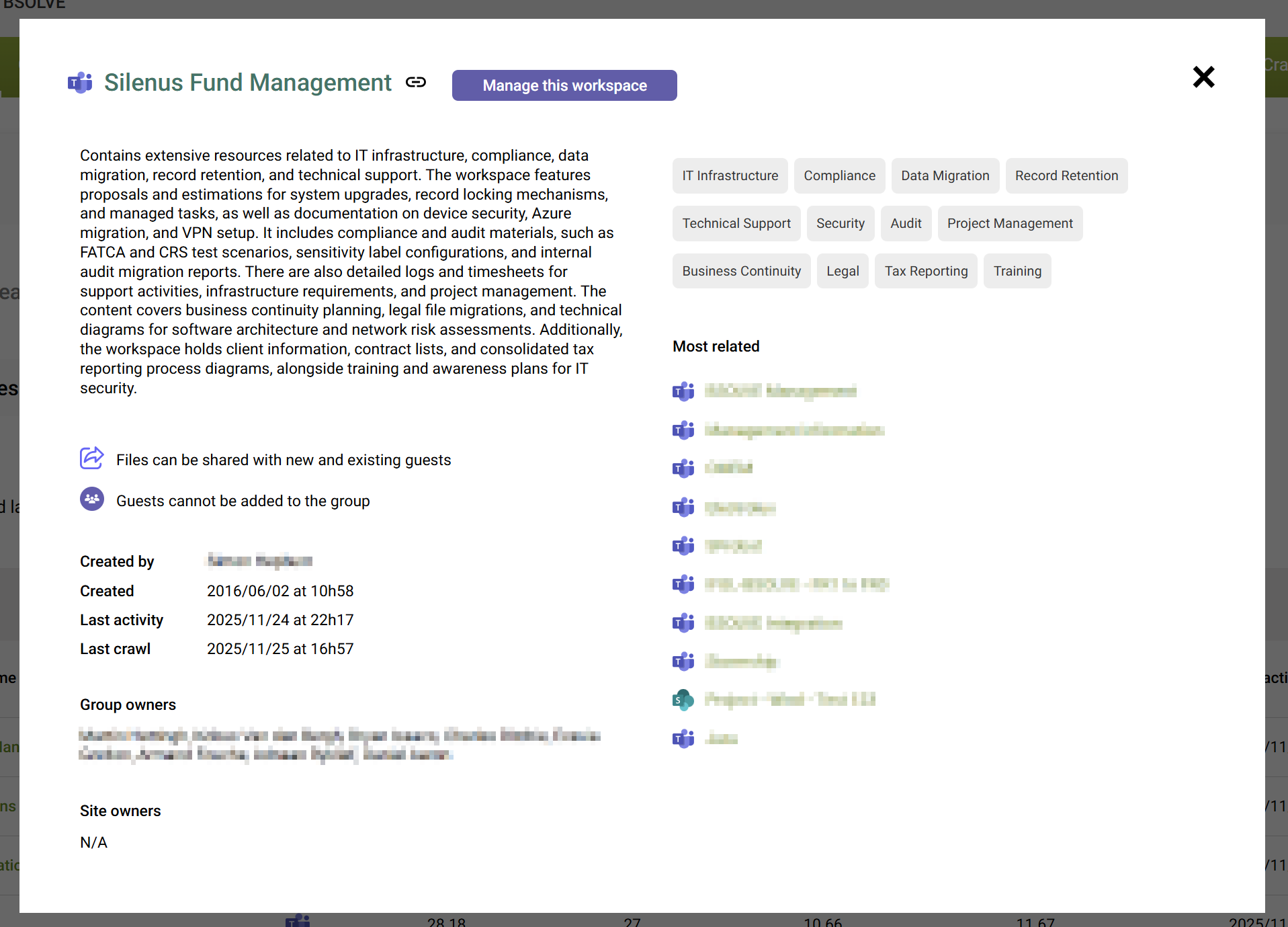
To drill into detailed information for a specific site, open its preview and select to Manage this workspace.
How do I clean up large files?
Open the site's content tab to see the large, inactive and trivial file summaries.
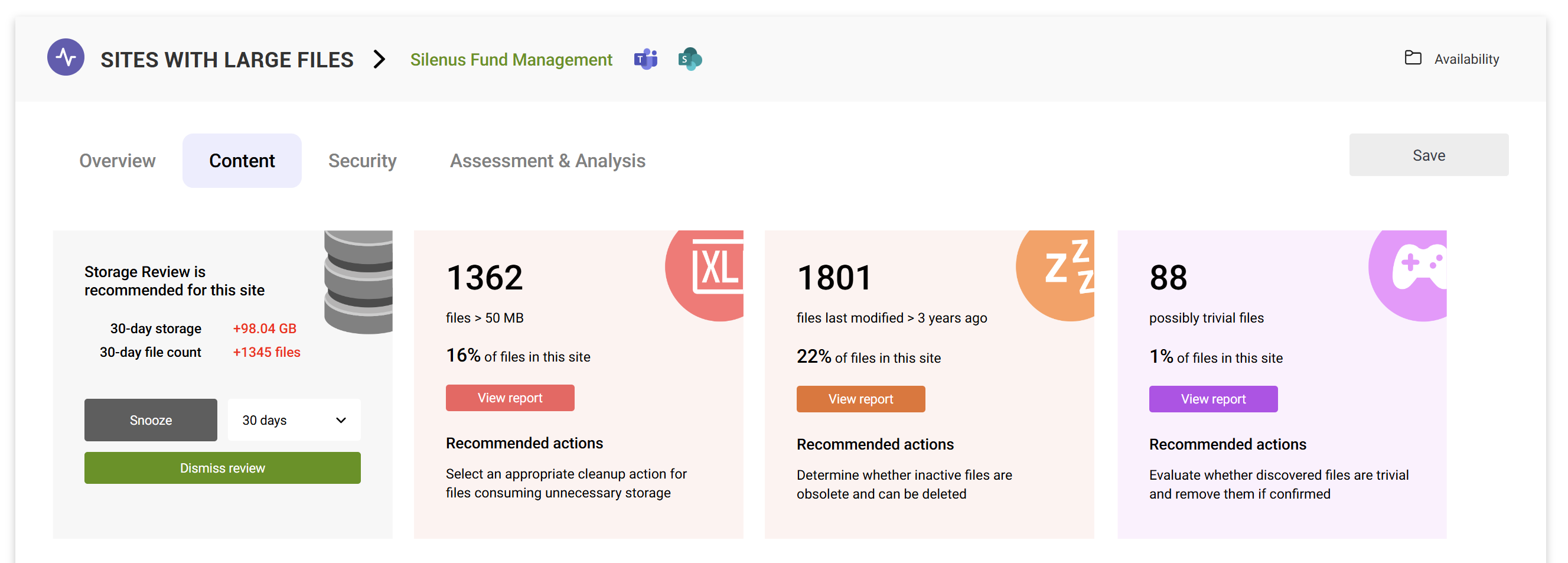
You can then use the detailed large file report to delete or trim versions.
What if I do not see all the sites I expect in the review?
The Sites with large files review displays item-level versioning data which is retrieved by the ongoing crawl process. If a site hasn't been crawled yet, SProbot will not have any visibility yet of whether it contains large files. If you have recently started using SProbot, you will need to wait for all your sites to be crawled at least once.