


TLDR
This guide focuses on SharePoint archiving solutions - tools and approaches that help you move inactive content into a lower-cost tier (or offload it) while maintaining governance and recoverability. In 2026, that matters more than ever because Microsoft has expanded Microsoft 365 Archive beyond site-only scenarios and the market has shifted toward operationalizing archiving at scale.
Archiving is part of a larger storage cost consideration within SharePoint.
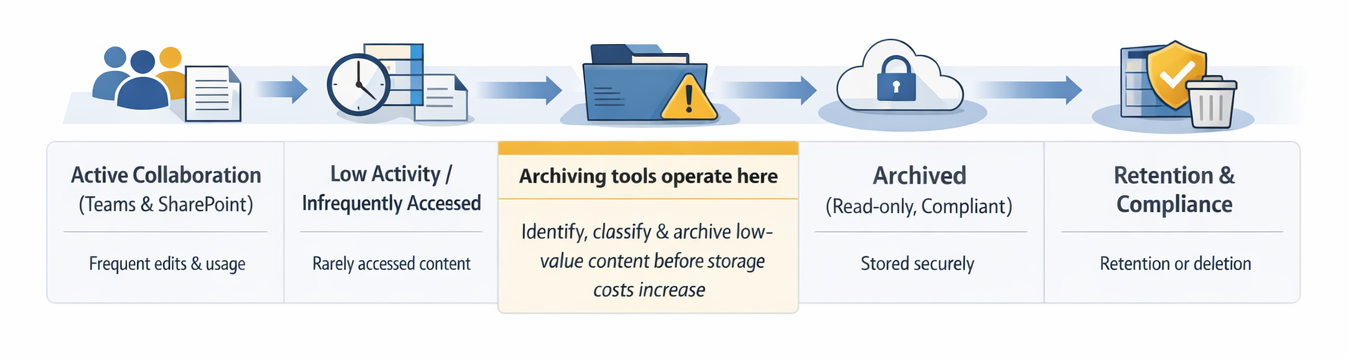
Interested in storage specifically? See our SharePoint storage management tools buyer’s guide.
What “archiving” means (and what it doesn’t)
Before comparing solutions, it helps to separate four commonly confused concepts:
- Archiving (in-tenant): Move inactive sites/files into Microsoft 365 Archive cold storage while keeping security and compliance controls intact.
- Retention: Keep content for compliance, but it may still remain in your primary storage footprint depending on the mechanism. (Retention is not the same as cost-reducing archival.)
- Backup: Adds recoverability, but doesn’t typically reduce active storage costs.
- Offloading/externalization: Move content out of Microsoft 365 (often to Azure Blob). This can reduce SharePoint quota pressure, but can also change how search, Copilot, and Purview controls behave depending on implementation.
This guide covers two main archiving approaches:
- In-tenant archiving using Microsoft 365 Archive
- Offloading-based archiving to Azure Blob (externalization)
Need to understand whether to archive or delete? See Archive vs delete: how to decide
Evaluation criteria
Use these criteria to avoid “apples vs oranges” comparisons.
🔗 Also see: How to decide what to archive with file-level archiving
Option 1: Microsoft 365 Archive via the SharePoint admin center
Microsoft 365 Archive is the baseline archiving capability for SharePoint Online, providing a cold storage tier for inactive SharePoint sites and files. It’s managed in the SharePoint admin center and is designed to preserve security, compliance, and long-term discoverability while reducing the cost of inactive content.
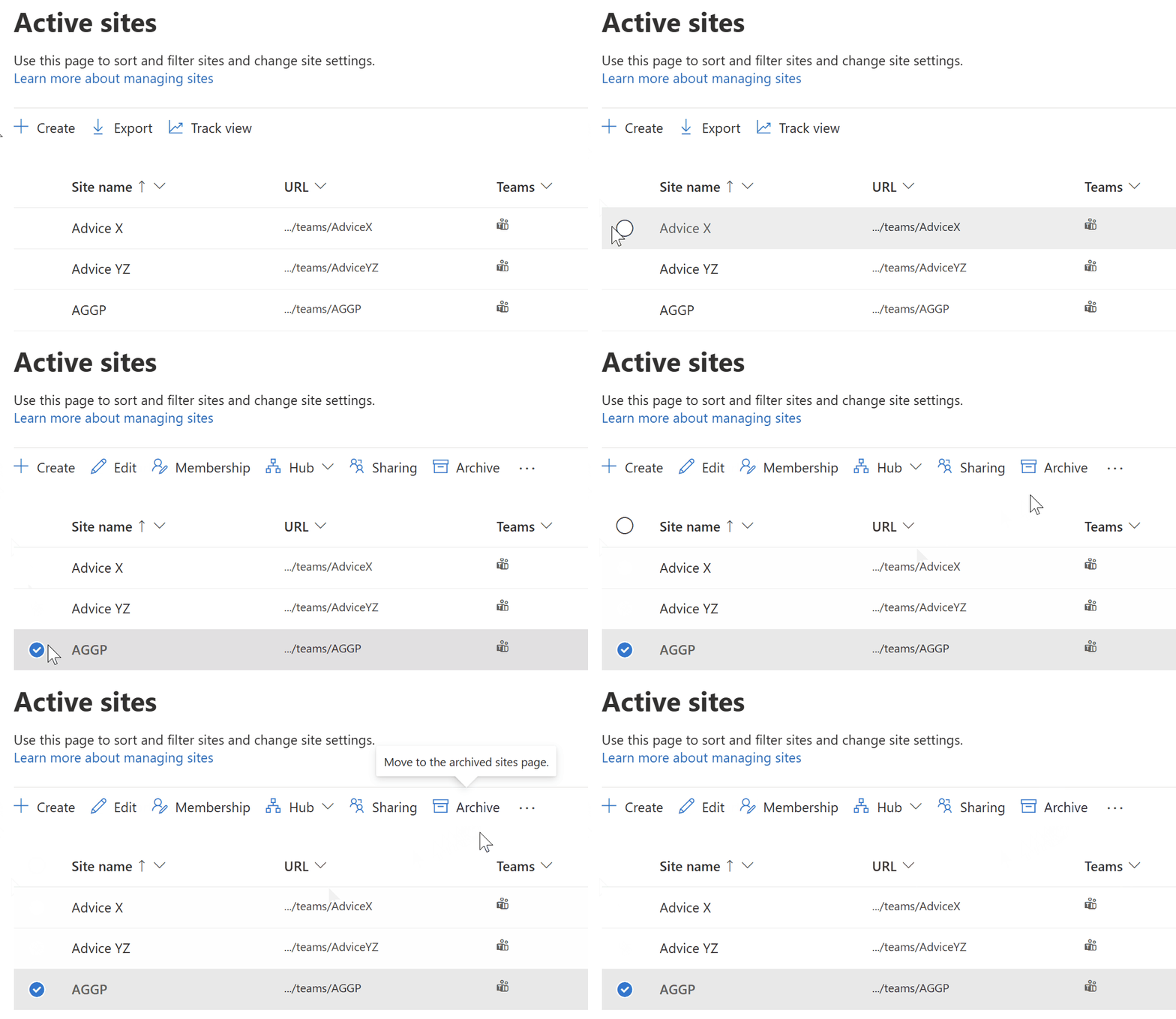
What it’s best at
- Archiving entire inactive sites cleanly, with minimal third-party dependencies.
- Maintaining Purview alignment and Microsoft 365 boundary controls.
Important nuance for file-level archive (2026)
File-level archive comes with behavior that surprises many teams: file-level archiving reclassifies storage into “archived storage” vs “active storage,” but total tenant storage is still accounted for - so the “savings” are largely about being charged at the archive rate for over-quota usage, not making data disappear.
Also see:
🔗 How to archive files and folders
🔗 File-level archiving: how much could I save?
✅ Pros
- Native and aligned with Microsoft security/compliance model.
- Clear admin control and lifecycle framing.
❌ Limitations
Operationally, many teams still need help to identify what should be archived and to apply archival actions consistently across a large tenant.
🌟 Best for
Organizations that want a native foundation and are comfortable adding process/tooling around identification and execution.
Option 2: SProbot
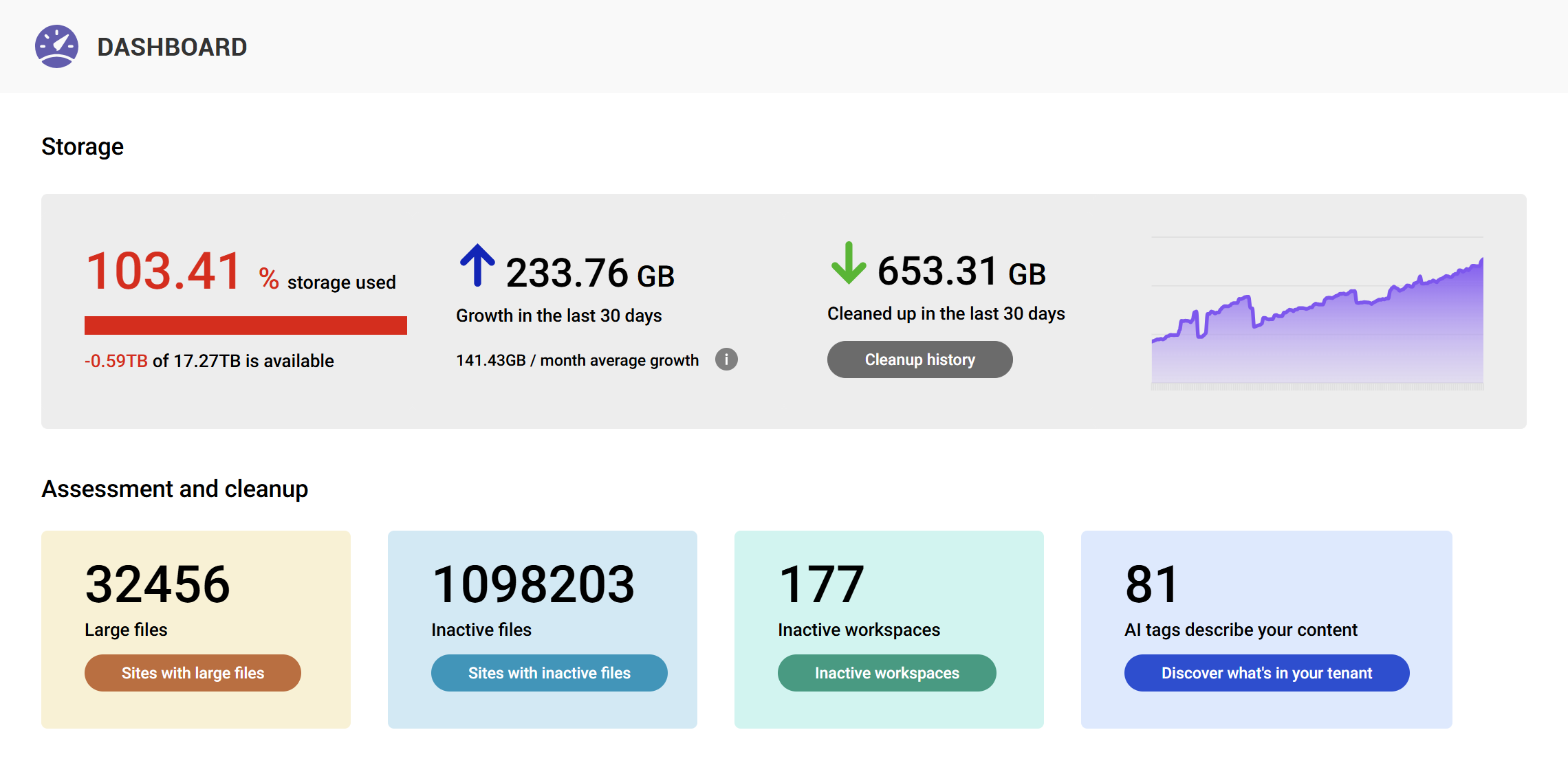
SProbot is positioned as a storage management and governance tool with a strong emphasis on identifying cleanup and lifecycle opportunities (including archiving workflows) to reduce cost and sprawl. The existing SProbot buyer’s guide highlights SProbot’s focus on actionable storage reduction and lifecycle tracking.
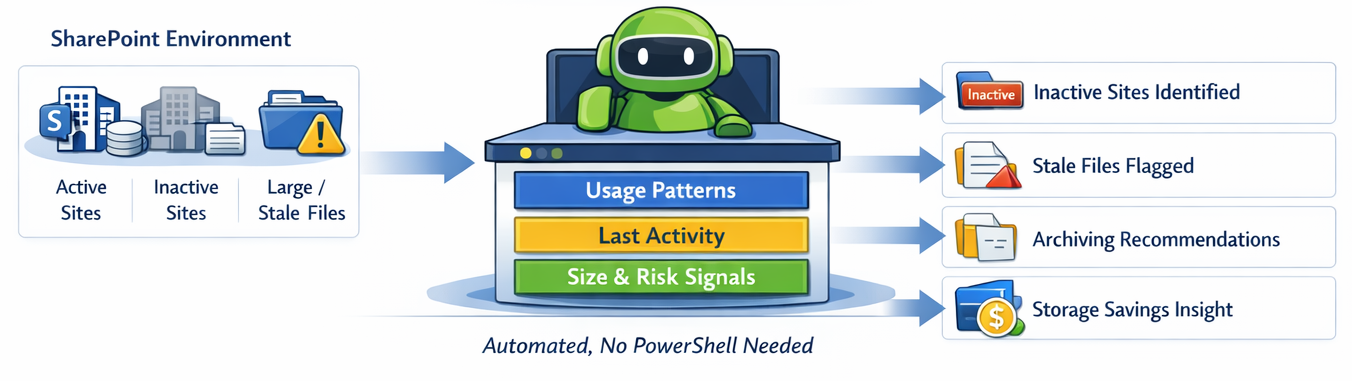
This matters in an archiving context because the hardest part of archiving at scale usually isn’t the button click - it’s confidently answering:
- Which sites are truly inactive?
- Which files are stale but still needed?
- What is safe to archive without disrupting business users?
✅ Pros
- Strong fit when the challenge is “what should we archive?” (candidate identification and prioritization)
- Designed for ongoing operational use rather than one-off cleanup
❌ Cons
If your only requirement is “archive a few sites occasionally,” native Microsoft 365 Archive may be enough.
🌟 Best for
Teams that want to operationalize archiving as a repeatable process and reduce storage growth without living in exports and scripts.
Option 3: Orchestry
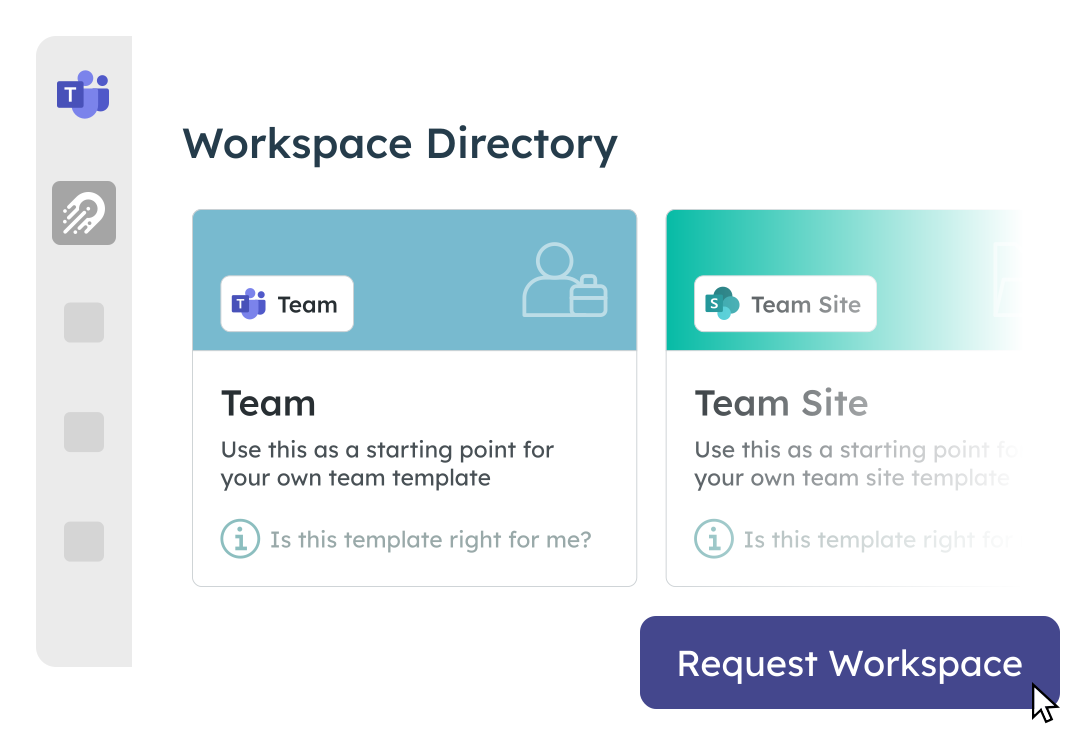
Orchestry has a dedicated M365 Storage & Archival capability set, including automated archivals, version cleanup, and use of Microsoft 365 Archive to move inactive workspaces to cold storage.
Orchestry’s approach tends to be governance-forward: delegate decisions to owners, apply policy-based lifecycle actions, and keep workspace hygiene consistent over time.
What it’s best at
- Automated archival policies based on inactivity thresholds
- Storage reporting across SharePoint/Teams/OneDrive
- Mass version cleanup and enforcing version limits to prevent “version bloat” recurrence
✅ Pros
- Strong operational framework (policies + delegated reviews)
- Uses native Microsoft 365 Archive capabilities for in-tenant cold storage
❌ Cons
Governance-first approaches often introduce owner workflow dependencies (which can be good or slow, depending on org culture).
🌟Best for
Organizations that want archiving embedded into broader governance and workspace lifecycle management.
Option 4: Syskit Point
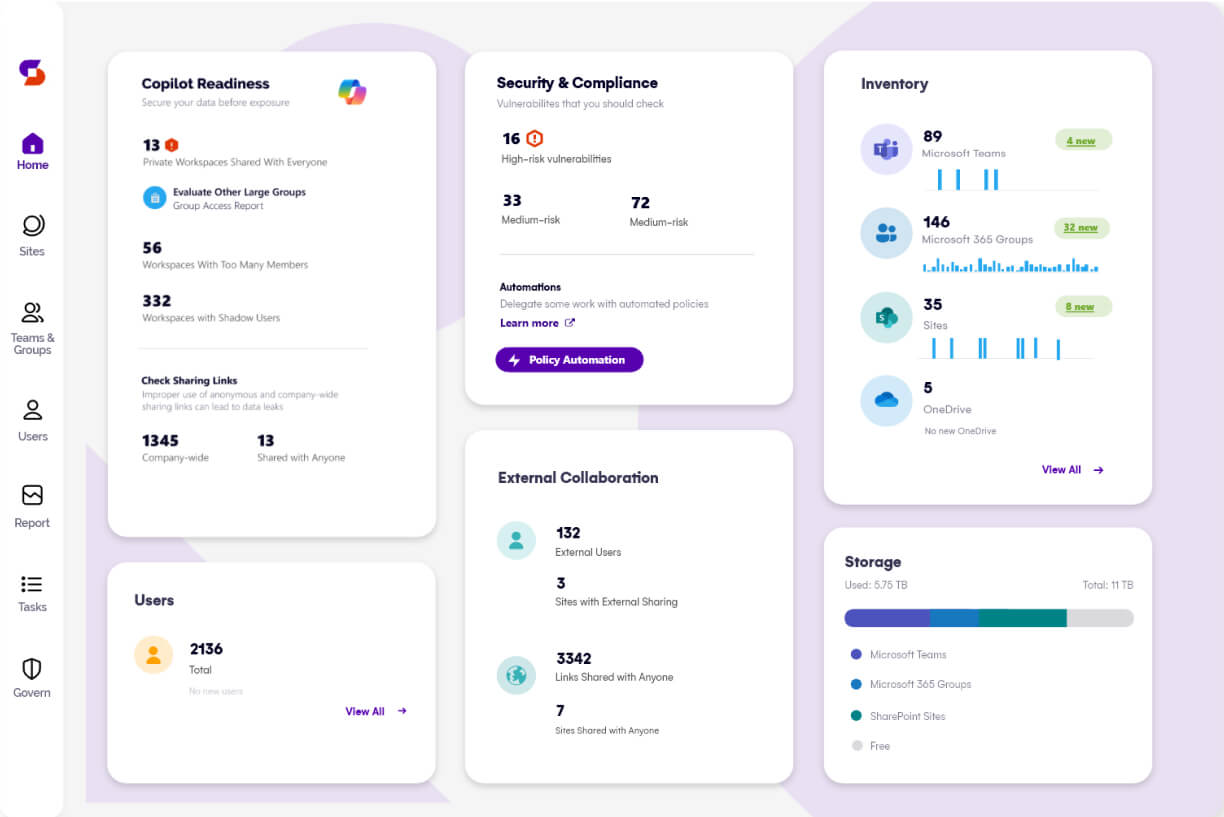
Syskit has invested heavily in Microsoft 365 Archive education and operationalization, including how admins can manage file-level archiving at scale and archive files from storage reports in Syskit Point.
What it's best at
- Storage reporting and pinpointing archiving candidates at scale
- Supporting file-level archiving workflows through Microsoft 365 Archive integration and admin context
✅ Pros
- Excellent reporting-led workflow for “find candidates → action them”
- Strong alignment with Copilot readiness and storage noise reduction messaging
❌ Limitations
As with Orchestry, execution relies on Microsoft 365 Archive behaviors and constraints - so buyer fit depends on whether you want native in-tenant archiving or externalization.
🌟 Best for
Teams that want robust reporting and structured action paths for archiving at scale.
Option 5: ShArc
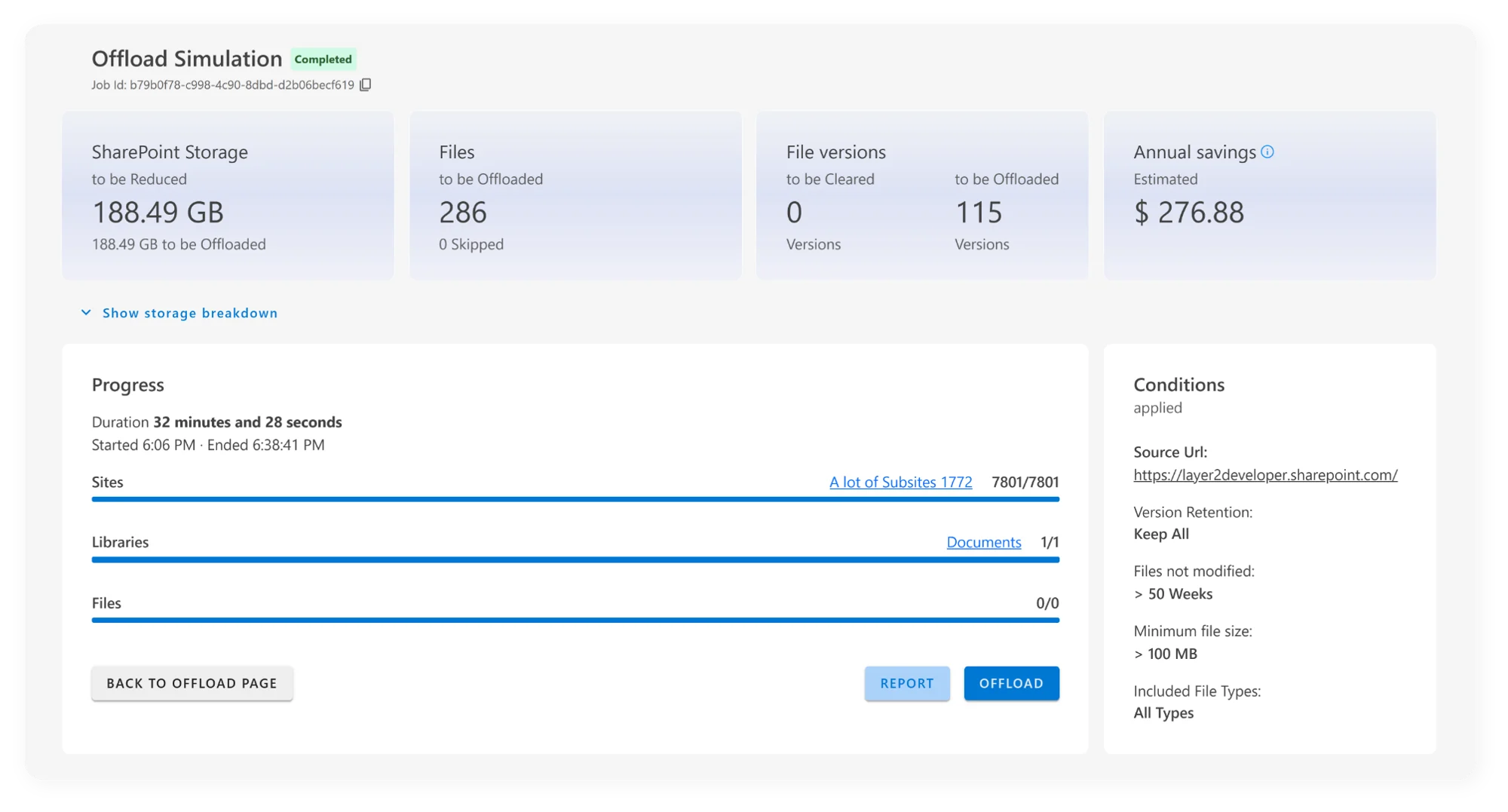
ShArc represents a different category: offloading/externalization tools that move inactive SharePoint files into Azure Blob Storage while leaving behind stubs/pointers so users can continue to work in SharePoint-like context.
ShArc explicitly positions itself around moving inactive files to Azure Blob “in the background” and keeping user experience familiar.
This approach can be attractive when the primary goal is aggressive cost reduction and long-term cold storage outside SharePoint’s storage pool.
✅ Pros
- Can reduce SharePoint storage pressure by moving content into Azure Blob tiers
- Policy-based selective archiving at file/library granularity (vs whole sites only)
❌ Cons
Offloading changes the “boundary” question. Orchestry’s analysis of offloading tools highlights risks like reduced native full-text search behavior, Copilot visibility limitations, and Purview control implications when content leaves Microsoft 365.
Whether those risks apply depends on the exact implementation and what content you offload - but they must be evaluated intentionally.
🌟 Best for
Organizations that explicitly want Azure Blob-based offloading and are comfortable with the trade-offs vs in-tenant Microsoft 365 Archive.
Quick comparison: SharePoint archiving solutions
How to choose the right solution
- If you want to keep content inside Microsoft 365 boundary and align with Purview: Choose Microsoft 365 Archive + a tool that operationalizes candidate identification and execution (SProbot / Orchestry / Syskit).
- If you want maximum cost reduction by moving content into Azure Blob tiers : Evaluate ShArc (and similar offloading tools) and validate search/Copilot/compliance trade-offs up front.
- If you only archive occasionally and have low volume: Native Microsoft 365 Archive alone may be sufficient.
Final recommendation
For most mid-market tenants, archiving succeeds when it’s repeatable and explainable - not when it’s a quarterly scramble. If your goal is to continuously identify inactive sites and files, reduce storage growth, and keep SharePoint usable for users and Copilot, pair Microsoft 365’s archiving foundation with a platform that makes archiving operational.
Is your tenant already at capacity? See How to free up space when SharePoint storage is nearly full.