Keeping track of your SharePoint storage usage is essential for managing capacity and avoiding unexpected costs. Fortunately, Microsoft provides several ways to monitor storage metrics across your tenant.
Where to find storage metrics
You can view storage usage in the Microsoft 365 Admin Center:
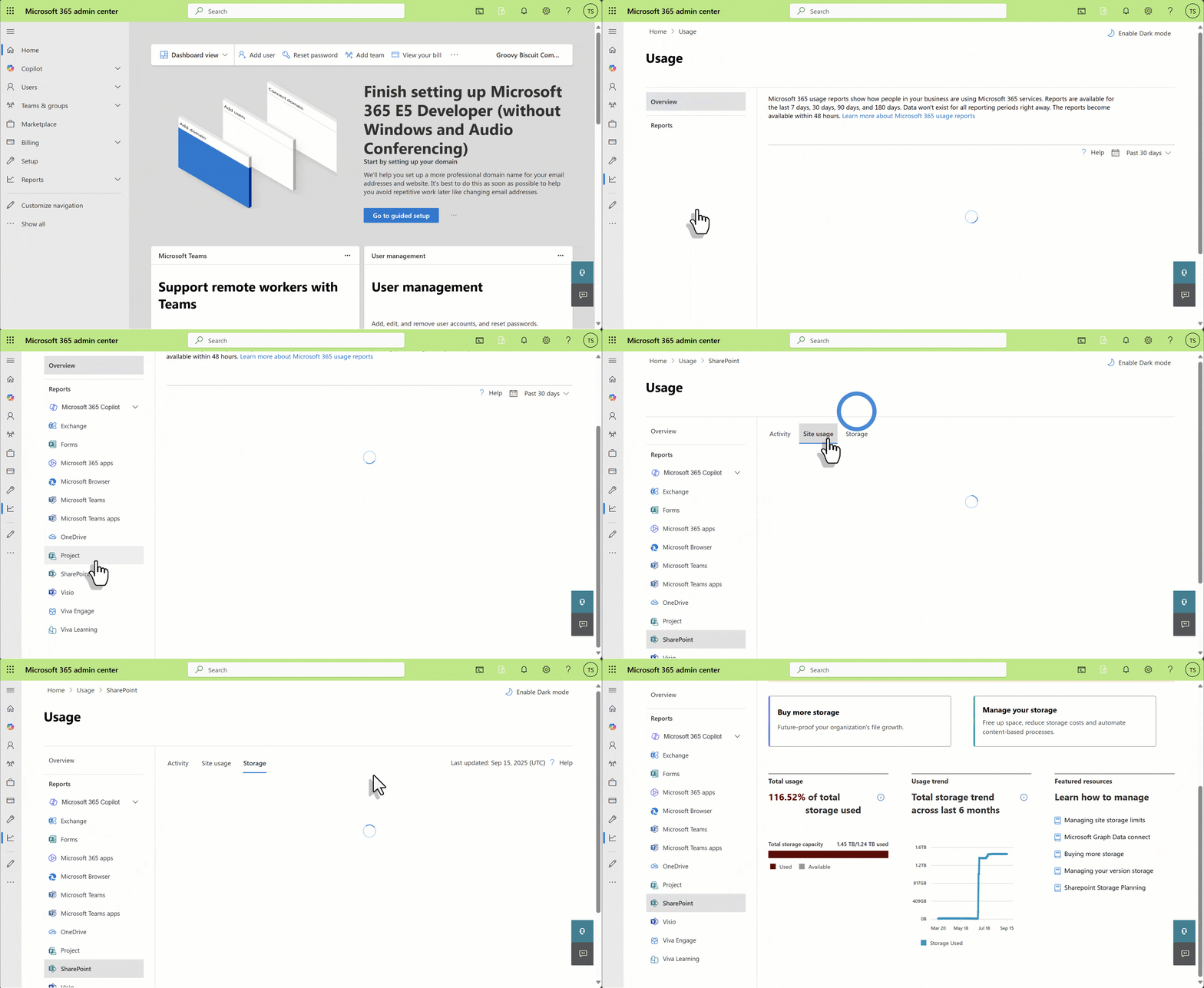
Method 1 - M365 Storage Report
In the Microsoft 365 admin center, navigate to Reports > Usage > SharePoint > Storage
Method 2 - SharePoint admin center
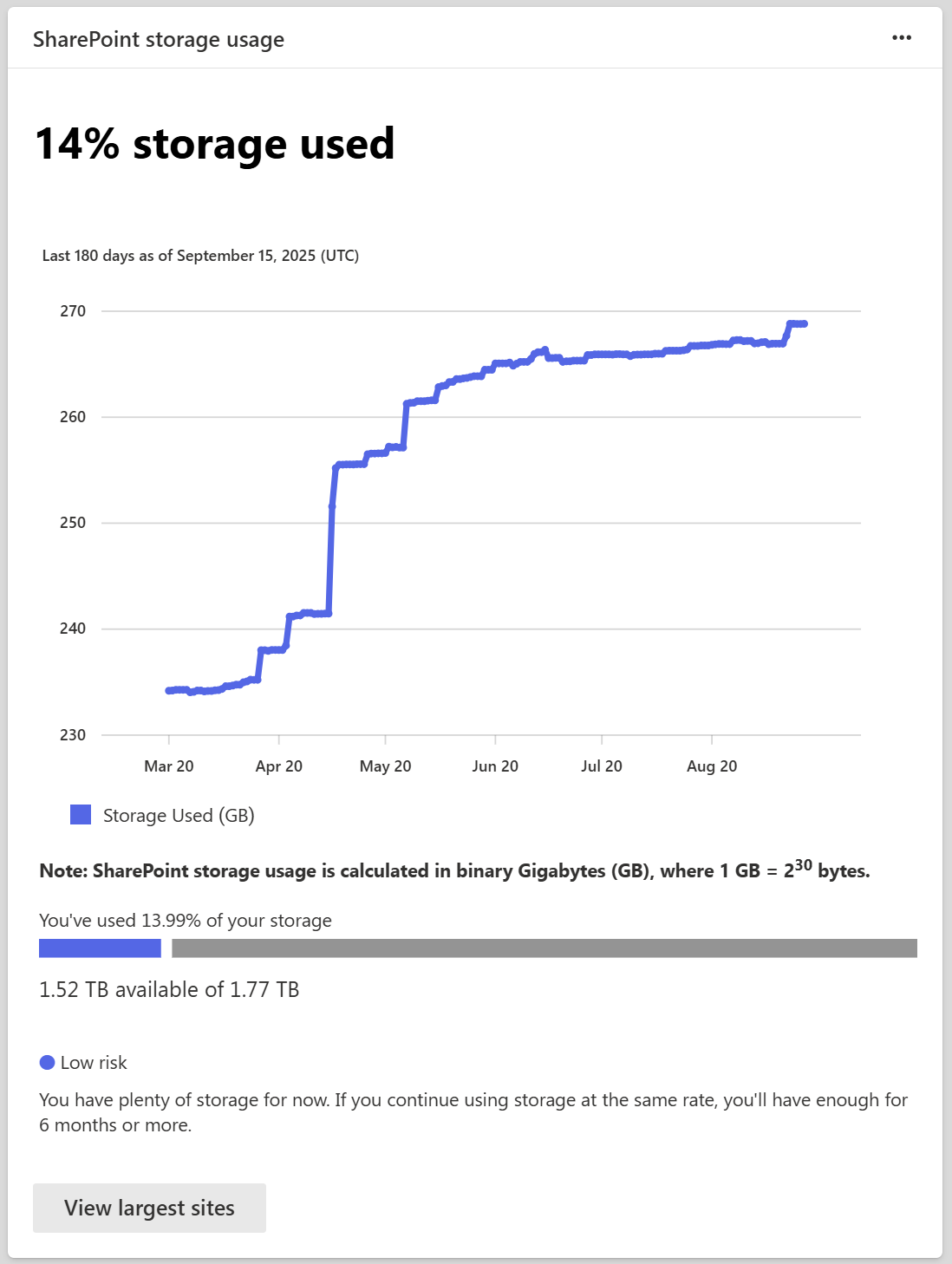
Overview card
On the Home page of the admin center, scroll until you see the Storage storage usage card. It displays:
- Percentage storage used.
- A graph of storage usage over the last 180 days.
- Available GB.
- An indicator showing the likelihood of running out of storage soon.
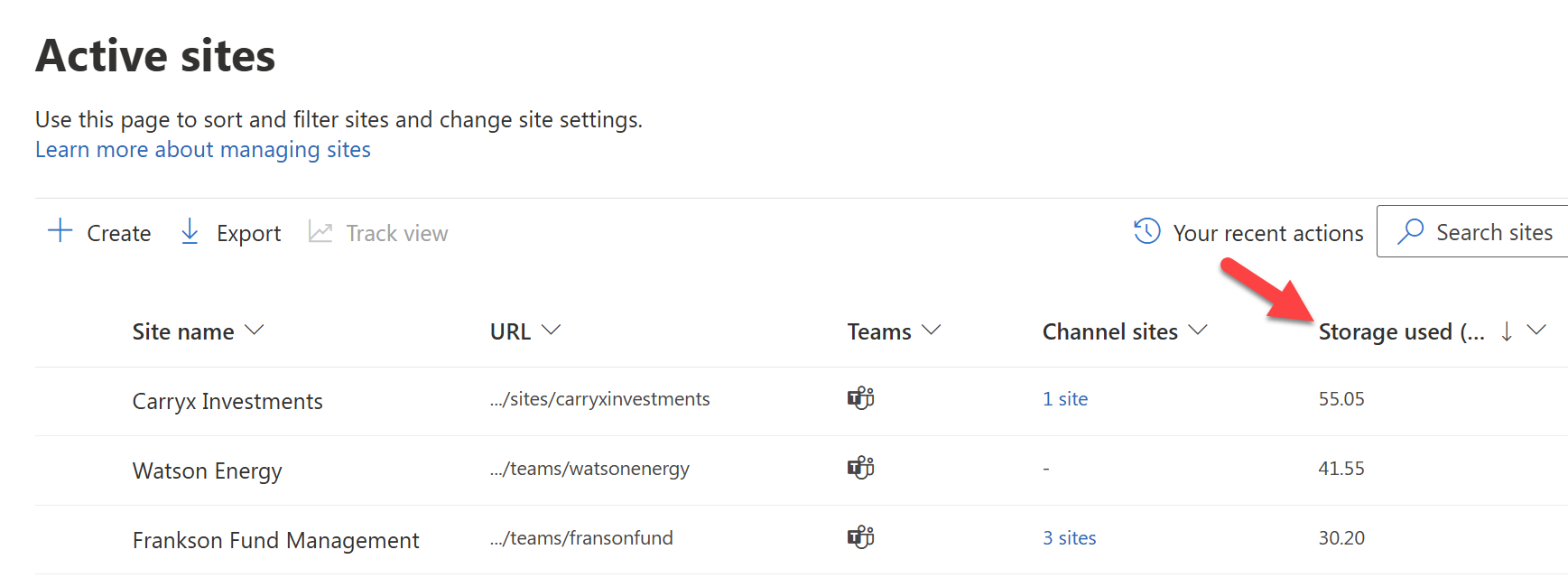
Storage used column per site
In Active sites, you can use the Storage used column to sort from largest to smallest sites:
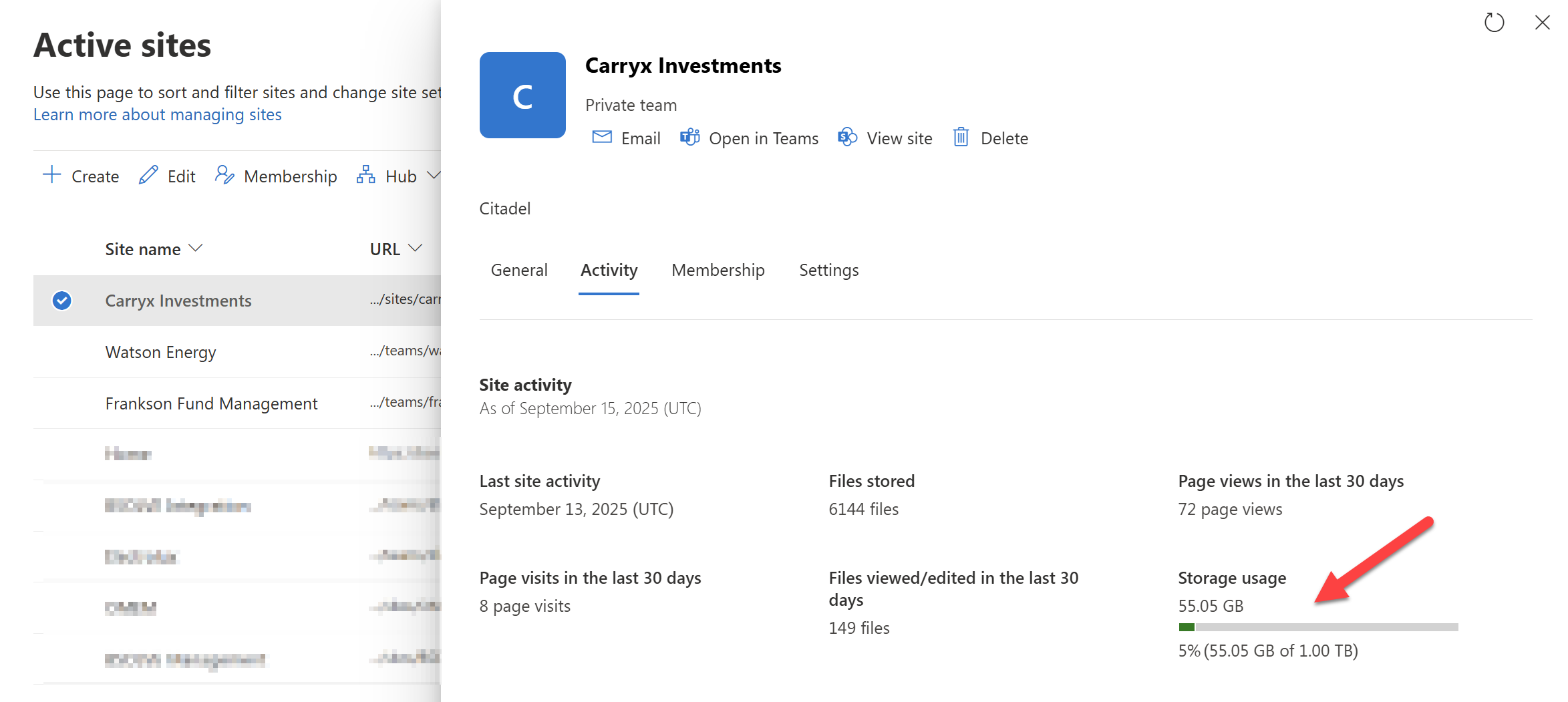
You can also see a detailed bar graph for a specific site by opening its details panel:
How SProbot can help
SProbot enhances storage monitoring by:
- Generating detailed reports on large files
- Identifying inactive or orphaned sites
- Highlighting version-heavy files
- Suggesting cleanup actions
This makes it easier to take action before hitting storage limits.
🔗 Related reading: Proven ways to reclaim SharePoint storage
What to do with the data
Once you’ve reviewed your metrics:
These steps can help reclaim space and reduce the need for paid storage.
Final thoughts
Storage metrics give you the visibility you need to manage SharePoint effectively. With regular monitoring and smart cleanup, you can stay ahead of growth and avoid surprises.