

Managing storage in SharePoint Online has become a major challenge for IT administrators and MSPs. As content explodes across Microsoft 365 tenants, SharePoint sites quickly fill up with documents, versions, and inactive data. Left unchecked, this growth leads to ballooning costs and governance headaches. Additional storage beyond your base tenant quota can add up quickly, and hidden storage sources - like large version histories, orphaned content, or retention-related holds - often go unnoticed until a quota warning appears.
SharePoint’s native admin tools provide only limited visibility. Manually tracking growth across many sites or multiple tenants is time-consuming, error-prone, and inefficient. Admins often rely on exports and PowerShell, repeating the same cleanup tasks again and again. For MSPs managing multiple clients, the problem multiplies: each tenant requires oversight, cleanup, and reporting to avoid unnecessary cost overruns.
To help you regain control of storage, improve governance, and reduce ongoing costs, we evaluate the top SharePoint storage management tools available in 2026. These tools provide deep insights, automated cleanup, intelligent archiving, and multi-tenant management capabilities.I
In this article, we compare the top five solutions most MSPs reference:
Interested in archiving specifically? SharePoint archiving solutions – 2026 buyer’s guide
1. SProbot
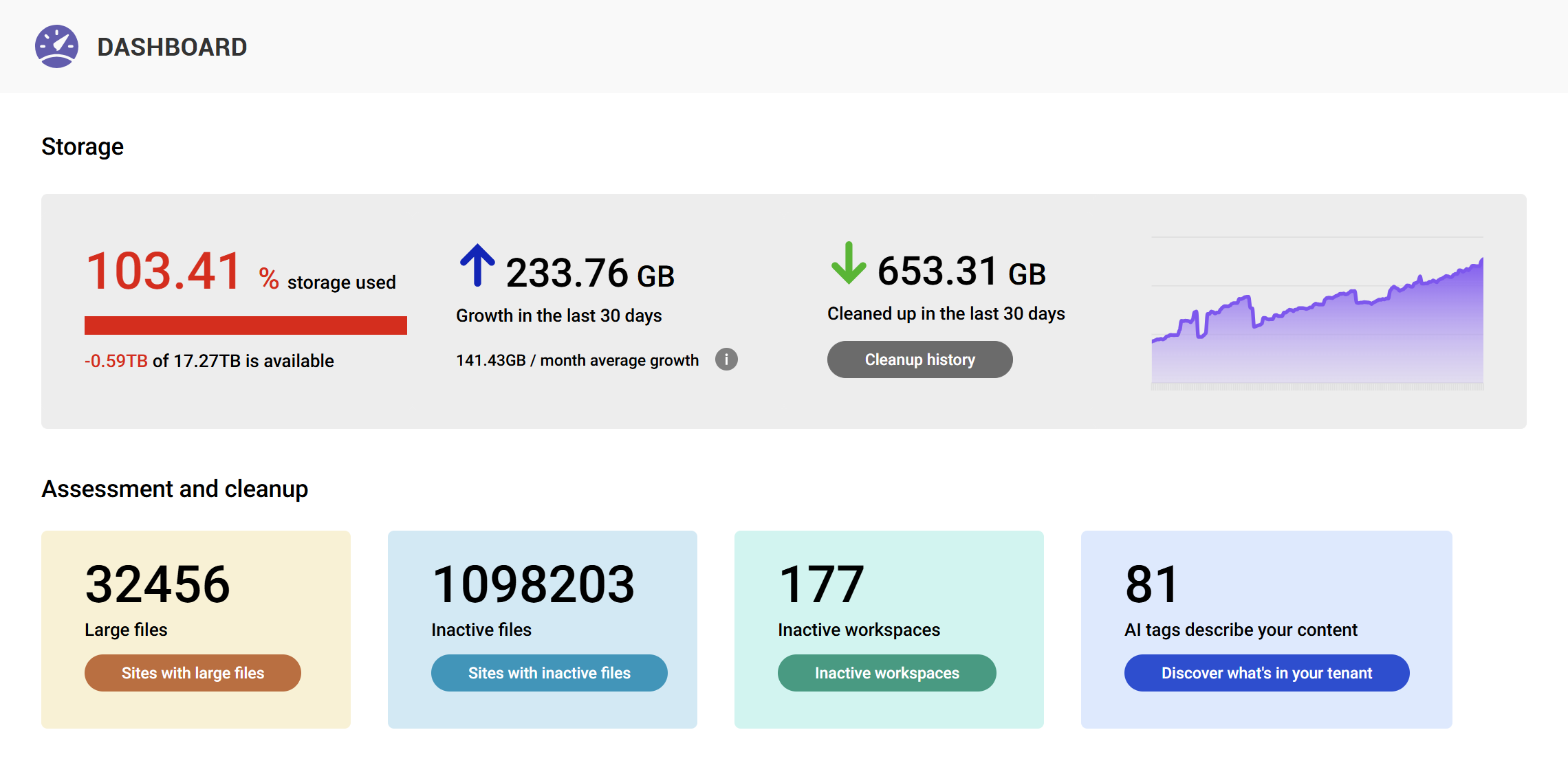
SProbot is an all-in-one SharePoint storage management and governance tool purpose-built to tackle SharePoint Online’s storage headaches. It provides a unified Health Check dashboard covering storage, security, content, and user activity, and its standout focus is on storage cleanup and cost optimization.
Key features
- Visual dashboards for usage, storage, and adoption trends
- Workspace lifecycle tracking and archival automation
- Cross-service analytics linking Teams, SharePoint, and Groups
- Embedded governance actions and policy workflows
Pros
SProbot’s strength lies in its focus on identifying and removing redundant, outdated, and trivial content. It offers no complex governance or provisioning functionality and is built for SharePoint admins who want fast, meaningful storage reduction without scripting.
- Smart, AI‑driven detection and classification of content topics and tenant composition
- One‑click cleanup actions (version trimming, archiving, deletion, assignment)
- Clear health check dashboard which highlights common problem areas
- Inactive site cleanup automation that reduces repetitive admin work
- Improves security posture by highlighting risky sharing settings
- Helps prepare content for Microsoft Copilot by reducing noise
Cons
While powerful in its specialization, SProbot is intentionally narrow in scope and best suited for medium‑to‑large environments with significant sprawl and related storage issues
- Newer on the market compared to legacy vendors
- Very small tenants may not realize full ROI
- Doesn’t replace full governance or backup tools
- Cloud‑only model may not suit orgs requiring on‑prem deployment
Pricing
SProbot is priced per TB of tenant storage, with costs of $470/TB/year with AI assessment, and $235/TB/year without AI.
This means a typical 15TB tenant starts from just over $3500/year.
2. SysKit Point
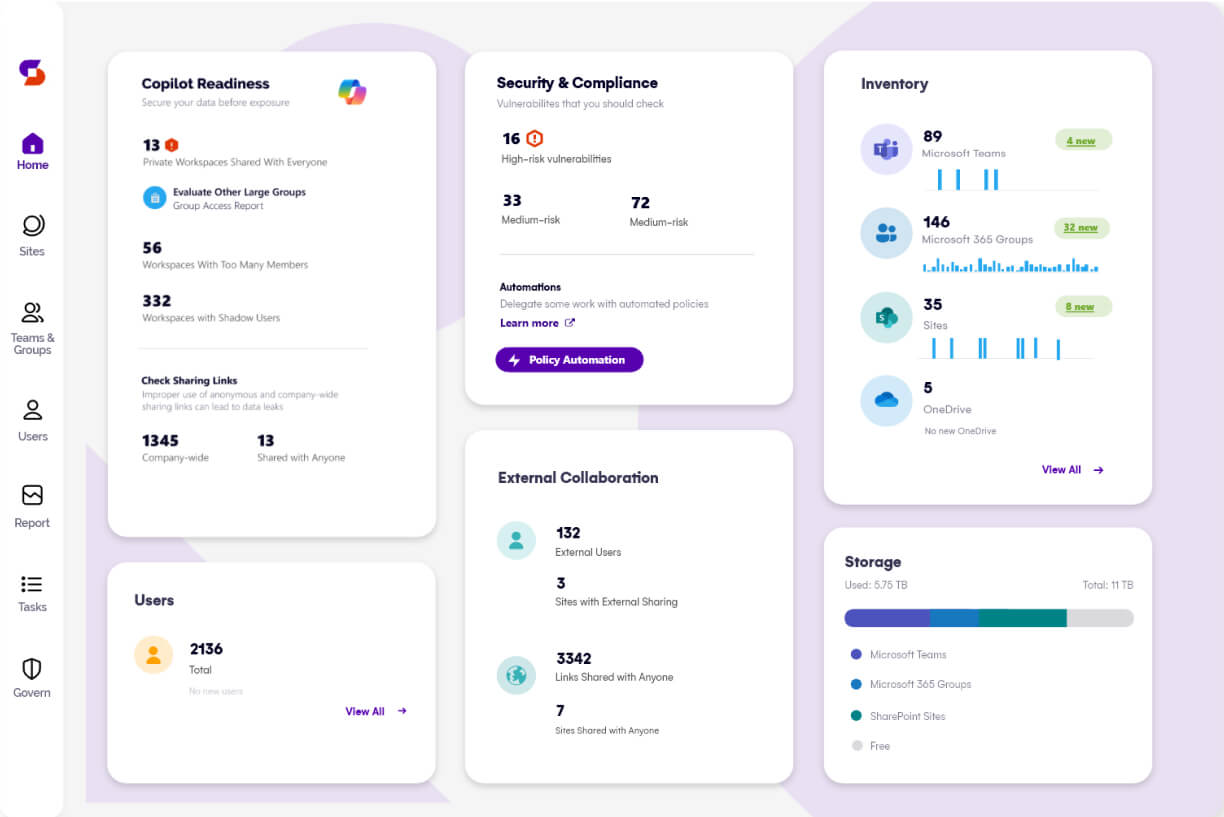
SysKit Point is a comprehensive governance platform offering extensive reporting across SharePoint, Teams, and OneDrive. It provides strong storage insights, lifecycle automation, and version‑control cleanup.
Pros
Its strengths include comprehensive coverage of the Microsoft 365 ecosystem, user-friendly dashboards, and the ability to manage permissions directly from reports. Syskit’s insights into inactive sites, storage usage, and license waste help organizations streamline operations and reduce unnecessary costs.
- Covers full Microsoft 365 suite
- Centralized dashboard for tenant-wide visibility and reporting
- Permissions matrix with direct access management
- Tracks inactive sites and Teams for cleanup opportunities
- Includes license usage and optimization reports
- User-friendly interface with prebuilt reports and dashboards
Cons
Because SysKit Point covers so many areas of Microsoft 365 governance, it can be more than what some teams need.
- Licensing costs increase with large user counts
- Requires initial configuration to define governance policies
- Can feel like overkill for purely storage-focused needs
- Admins must learn a sizeable interface
- Per-user pricing can be costly for large user bases with narrow use cases
Pricing
Syskit is priced per user, with the recommended Governance Plan starting at €30/user/year, with the simplest Management Plan starting at €10/user/year
This means a typical 15TB tenant (which is likely to have ~800 users) starts at $8000/year.
3. Orchestry
Orchestry is designed to prevent storage issues before they arise by enforcing governance and lifecycle policies across Microsoft 365.
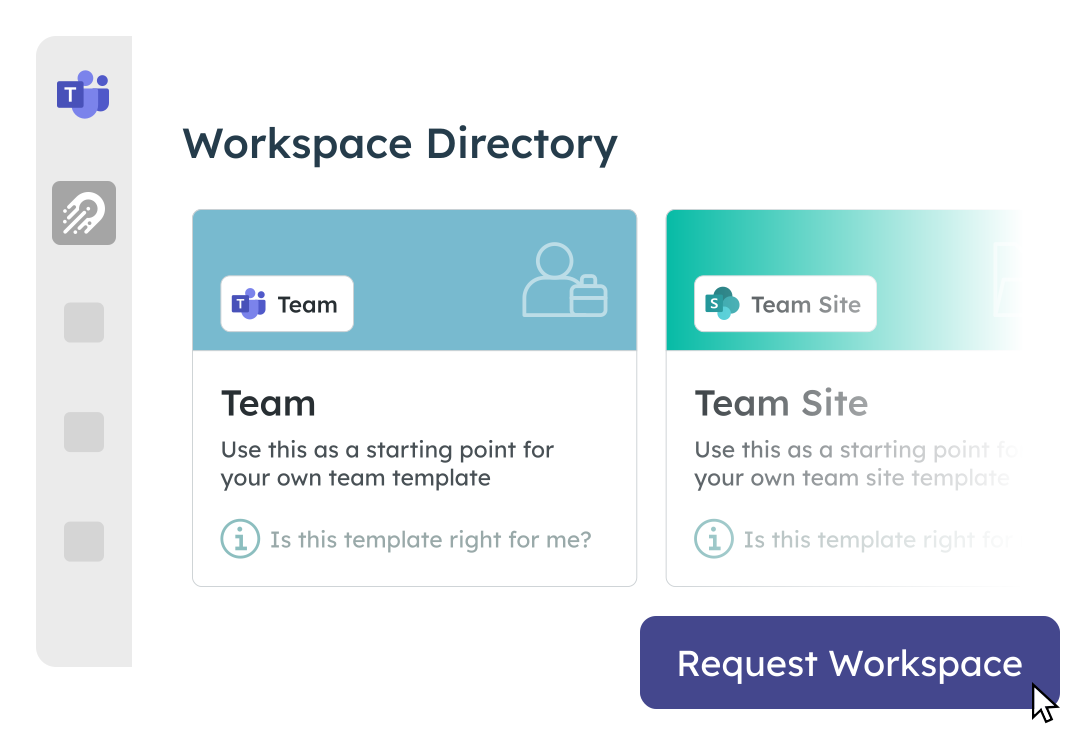
It provides visual dashboards, workspace lifecycle tracking, and automated archival workflows. Its cross-service analytics and embedded governance actions empower both IT admins and site owners to manage collaboration environments effectively.
Pros
The tool’s strengths include its proactive approach to governance, intuitive user interface, and automation of workspace reviews and archival. Orchestry is especially effective at reducing content sprawl and encouraging shared responsibility for data hygiene through owner engagement.
- Preventative governance approach reduces sprawl before it starts
- Workspace lifecycle automation and archival prompts
- Visual dashboards for usage, storage, and adoption trends
- Cross-platform insights linking Teams, SharePoint, and Groups
- Empowers site owners to manage their own workspaces
Cons
Because Orchestry’s scope is broad (adoption, governance, compliance) and its focus is on guiding end-user behavior, it’s not primarily a deep-dive storage analyzer and can be overkill if storage is the primary concern.
- Broad capabilities may be overkill for small orgs with just storage cleanup needs
- High annual costs
Pricing
Orchestry is priced either per user, or at a flat rate per tenant.
- Per user pricing for < 1000 users is $26/user/year
- Flat rate pricing is $149 000/year, or $42 000/year with a 3-year commitment
This means a typical 15TB tenant (which is likely to have ~800 users) starts at $20 800/year.
4. Rencore Governance
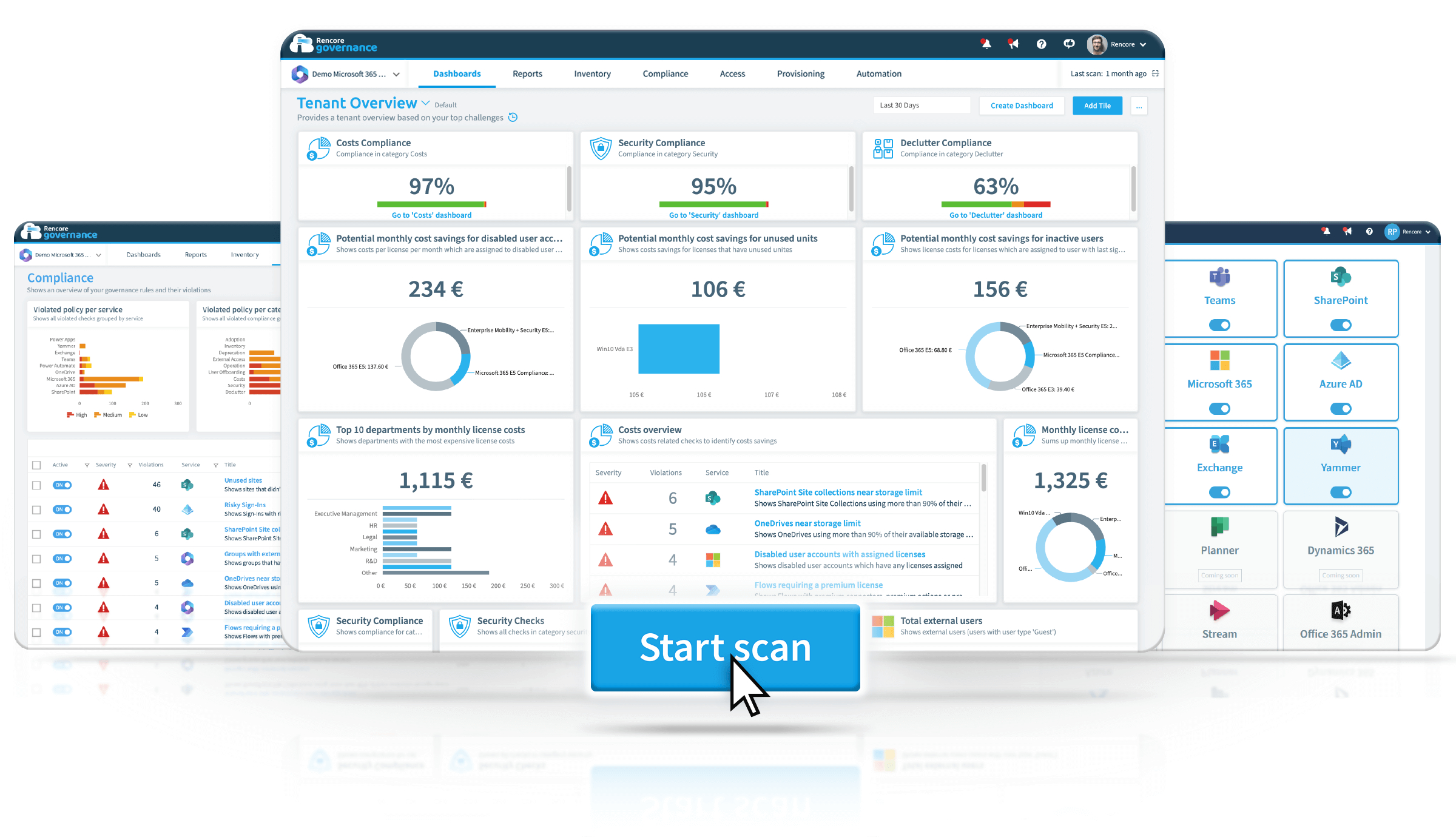
Rencore Governance is a comprehensive Microsoft 365 governance platform that goes beyond just storage, aiming to give organizations a holistic command center for their M365 environment. Rencore’s cloud solution covers SharePoint Online, Teams, OneDrive, Exchange, Azure AD, Power Platform, and even emerging AI integrations.
Pros
AvePoint’s archiving solutions shine in highly regulated or data-heavy environments where fine‑grained archival and lifecycle control are essential.
- Holistic M365 Coverage: Covers all major Microsoft 365 services
- Policy-nased automation with hundreds of ready-made policies
- Cost optimization insights across both storage and licensing
- Can perform permission audits, external sharing reviews, and even Copilot/AI risk assessments across your tenant
- Scalable for enterprises with RBAC
Cons
Rencore is powerful but also involves a learning curve because of additional complexity
- Because Rencore Governance is so comprehensive, it can be complex to configure initially
- Per user licensing can get expensive
- Limited cleanup, better at identifying storage issues than remediating them
- Premium features only available at higher tiers
Pricing
Rencore is priced per user, with different tiers:
- Essentials (up to 1 000 users) starts at $6.60/user/year
- Professional (up to 10 000 users) starts at $13.20/user/year
This means a typical 15TB tenant (which is likely to have ~800 users) starts at $5 280/year, but larger user counts increase the price significantly.
5. ShareGate Protect
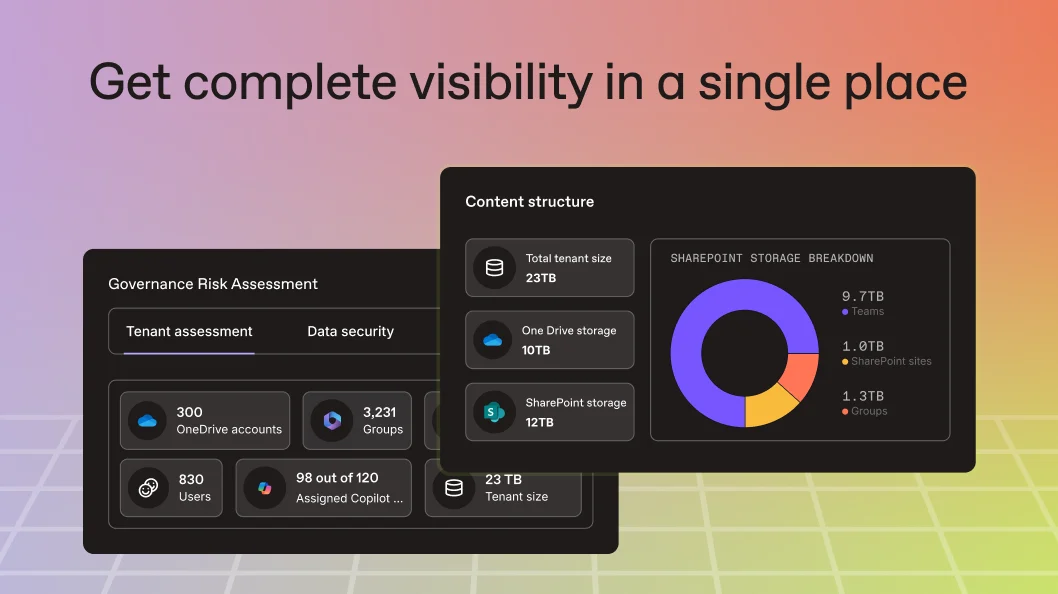
ShareGate Protect is a governance and security tool designed to help Microsoft 365 administrators clean up, secure, and maintain control over their SharePoint Online and Teams environments.
Unlike ShareGate Migrate, which focuses on content migration, ShareGate Protect is all about ongoing lifecycle management, oversharing prevention, and workspace governance.
Pros
With unlimited users and data, ShareGate Protect is ideal for organizations that want to streamline governance without micromanaging every workspace.
- End-User Driven Governance with automated check-ins to team and site owners
- Oversharing & Guest Access Visibility
- Preparation for Copilot by showing which content Copilot can access
- One flat price covers unlimited users, data, and workloads, making it cost-effective for large tenants
- Simple, Intuitive Interface
Cons
ShareGate Protect is easy to use, but doesn't offer much granular cleanup functionality.
- Focuses on workspace-level governance with granular file-level cleanup actions
- Predefined governance rules only
Pricing
ShareGate Protect offers simple pricing at $ 1 999/tenant/year regardless of size or number of users.
Is a 3rd-party tool worth the investment?
If you are comparing tools, the next question is usually whether a dedicated platform is worth the spend at all.
At smaller scales, native Microsoft 365 tools combined with ad hoc scripts can appear sufficient. However, as environments grow in size and complexity, the trade-offs between manual effort and automation become more visible, particularly in time, consistency, and long-term cost control.
🔗See DIY scripts vs SProbot: the ROI of automating SharePoint storage management
Conclusion
The right storage management tool depends on your priorities:
- SProbot if your top priority is aggressively reducing SharePoint Online storage costs through targeted cleanup of large files, old versions, and inactive sites - with AI-powered insights and no per-user fees.
- SysKit Point if you need detailed visibility, auditing, and reporting on storage, permissions, and user activity - plus automated access reviews and lifecycle management in a security-focused governance platform.
- Orchestry if you want to empower users with self-service provisioning while maintaining control through lifecycle automation, workspace templates, and guest access governance - ideal for reducing sprawl with minimal IT overhead.
- Rencore if you need broad, policy-driven governance across Microsoft 365, including SharePoint, Teams, Power Platform, and Copilot - with deep automation, compliance, and cost optimization features.
- ShareGate Protect if you want a simple, user-friendly governance tool that helps you clean up inactive Teams and SharePoint sites, reduce oversharing, and involve workspace owners in the process - especially if you already use ShareGate Migrate.
With the right toolset, SharePoint storage management becomes proactive, automated, and predictable - saving IT teams hours of work and reducing unnecessary storage spend.
FAQs
Which SharePoint storage management tool is best for reducing storage costs?
The best tool depends on your objective. If your primary goal is reducing storage costs, prioritise tools that can identify inactive sites, large files, version-heavy files, and unused content before you purchase additional Microsoft storage. A good storage management platform should help you quantify reclaimable storage and identify the highest-impact cleanup opportunities.
Do I need a third-party SharePoint storage management tool if Microsoft provides built-in reports?
Microsoft offers native storage and usage reporting, but many IT teams need deeper visibility into storage growth trends, inactive content, version history bloat, and cleanup opportunities across large tenants. Third-party tools are often used when administrators need actionable insights rather than basic capacity reporting.
What features should I look for when comparing SharePoint storage management tools?
Focus on features that support both visibility and action. Key capabilities include storage reporting, version history analysis, identification of inactive files and sites, storage growth monitoring, archive candidate discovery, and workflow support for cleanup decisions. These features help administrators move beyond reporting and actually reclaim storage.
Can SharePoint storage management tools help avoid buying more Microsoft 365 storage?
Yes. Many organisations discover significant amounts of reclaimable storage through version cleanup, inactive file reviews, archive projects, and removal of unnecessary content. A storage management tool can help estimate potential savings and determine whether cleanup is likely to be more cost-effective than purchasing additional storage capacity.
How do I evaluate the ROI of a SharePoint storage management tool?
Look beyond licence costs. Consider how much administrator time is spent producing reports, identifying storage issues, reviewing inactive content, and planning cleanups. The strongest ROI typically comes from reducing manual effort, delaying storage purchases, improving governance visibility, and accelerating storage reclamation initiatives across the tenant.