


TLDR: SharePoint storage limits do not change based on Microsoft region, data center, or geo location. Microsoft allocates storage using a single global formula: a fixed base amount per tenant plus additional gigabytes per licensed user. Regions influence where your data is stored, not how much storage you receive. All observed differences in storage consumption come from content growth such as inactive sites, large files, and version history, not from geographical hosting.
1. Do regions affect storage capacity?
1.1 Why admins ask about regional differences
SharePoint administrators commonly manage tenants that span multiple countries or have compliance‑driven data residency requirements. It is natural to question whether a US‑hosted tenant receives more (or less) storage than one hosted in Europe or Africa.
The misconception often comes from the fact that usage reports can surface region‑specific consumption values. According to Microsoft, these usage values may be geo location specific, but the total tenant allocation is not.
1.2 The real storage challenge
Although storage allocation is fixed globally, storage consumption varies dramatically between organisations. Typical drivers include:
- Inactive or abandoned sites accumulating years of stale content
- Large unused files left behind from completed projects
- Unnecessary version history
- Unwanted file types that do not belong in SharePoint
- Inconsistent governance over time
2. Misconceptions to avoid
2.1 Misconception: Region impacts storage
Microsoft’s documented model applies to every commercial tenant worldwide: a fixed base storage amount plus additional storage per user license. Geographic region does not change this allocation.
2.2 Misconception: Site quotas influence tenant-wide storage
Site quotas only control how much of the tenant pool an individual site can consume. They do not increase the tenant’s total available storage and therefore do not solve tenant‑wide storage pressure, and any new sites created and populated with content bypass this restriction anyway.
2.3 Misconception: User‑initiated cleanup will meaningfully reduce tenant usage
Users rarely clean up inactive content or version history on their own. Most large‑tenant storage waste comes from areas users no longer interact with, such as abandoned project sites or oversized historic files. Admin‑driven discovery is essential.
3. What actually determines SharePoint storage limits
3.1 The Microsoft allocation model
Microsoft’s storage model is consistent across all commercial regions:
- Base storage quota: 1 TB per Microsoft 365 tenant.
- Additional storage: 10 GB per licensed user (with eligible plans).
These values apply globally regardless of region or data center.
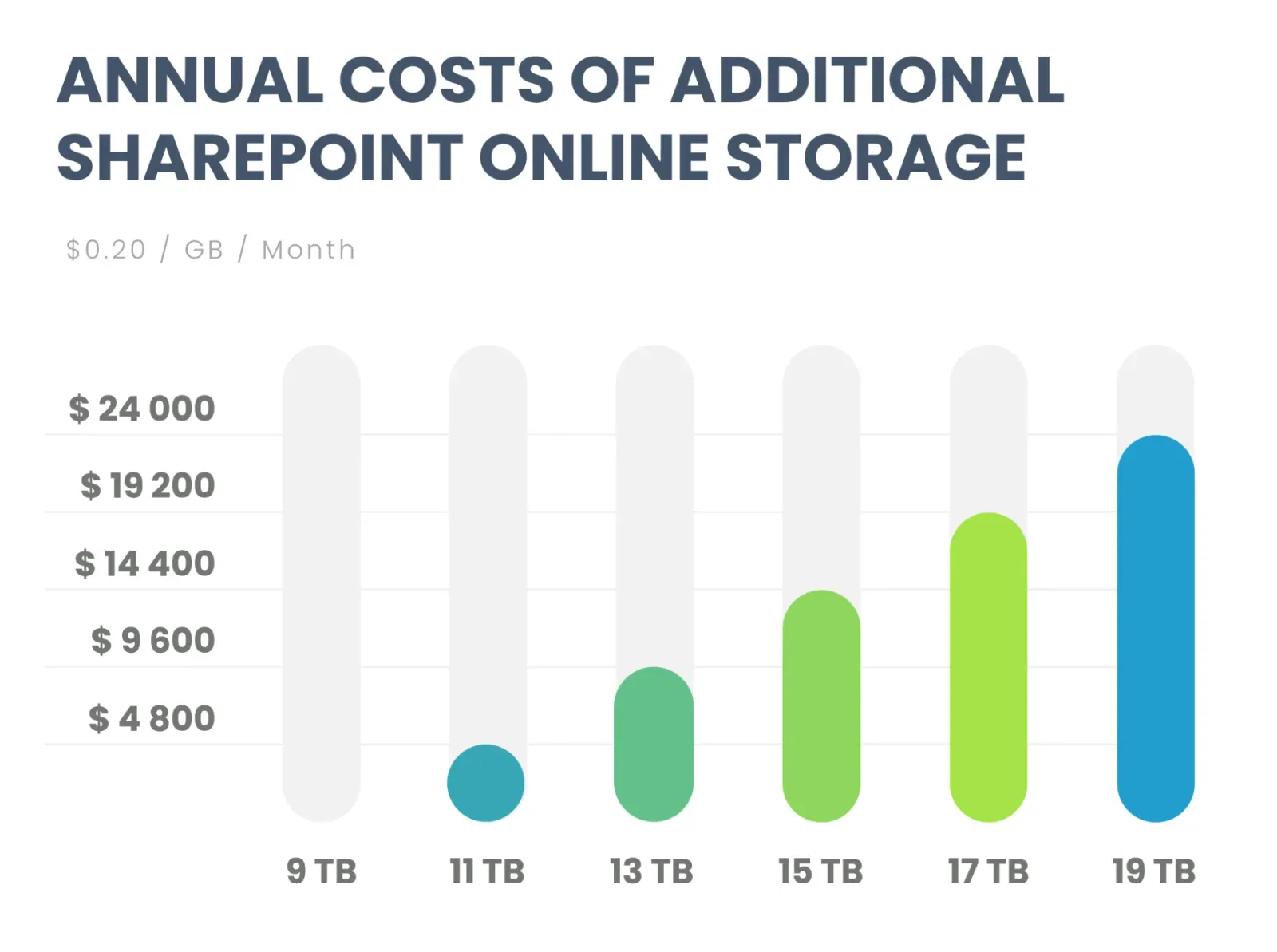
Additional storage can also be purchased separately and is not region‑dependent.
3.2 What actually drives storage growth
Storage pressure is typically caused by:
- Inactive or orphaned sites: content left untouched for months or years.
- Large unused files: CAD files, video, archives, and datasets.
- Version bloat: hundreds or thousands of versions stored per file.
- Historic detritus: content no longer aligned to ongoing business needs.
4. Effective ways to reduce SharePoint storage consumption
4.1 Identify inactive or orphaned sites
Inactive sites often hold years of unused project documents, data exports, and outdated materials. Admins can use SharePoint site usage reports to identify sites with no recent activity or file interactions. Microsoft’s usage reporting tools show site‑level storage, growth trends, and activity timelines.
4.2 Find large unused files
Large files silently accumulate, especially when Teams channels or project spaces store multi‑GB videos, images, or archives. These files can be identified and reviewed for removal or archiving if they are no longer relevant.
4.3 Address version bloat
Microsoft documentation highlights the impact of version history on total storage consumption. Version history is stored per file and can significantly exceed the size of the current/live copy. Adjusting versioning configurations or trimming older versions can reclaim substantial storage.
4.4 Monitor growth trends and storage spikes
Monitoring storage trends helps detect rapid growth early. Admins can use Microsoft 365’s usage reports or third‑party reporting tools to spot outliers, unusual activity, or sudden jumps in specific sites.
5. How SProbot helps
5.1 Automated discovery of storage risks
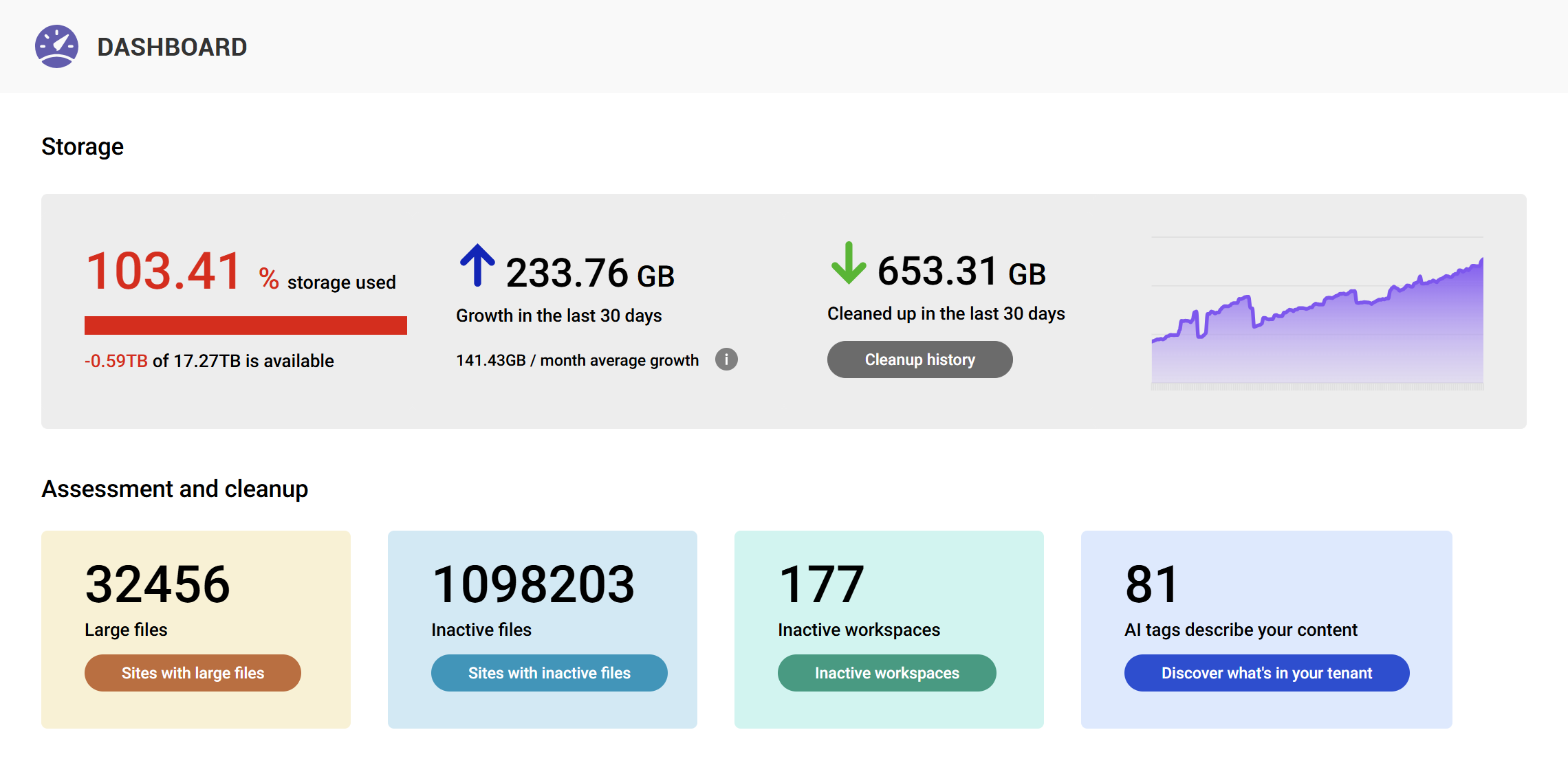
SProbot provides automated scans that identify:
- Oversized sites
- Large files contributing heavily to storage consumption
- Inactive sites suitable for archiving or cleanup
- Sites with unusually high version growth
These insights enable admins to quickly locate problem areas across the tenant.
5.2 Structured, exportable reports
SProbot generates actionable reports for:
- Large files
- Inactive sites
- Storage‑heavy sites
- Version history cleanup opportunities
All reports are designed specifically to support SharePoint‑focused cleanup workflows and can be exported for internal review or planning.
5.3 Supporting recurring governance
SProbot allows organisations to run repeatable, scheduled reviews of storage consumption. Instead of relying on reactive cleanup, admins can maintain predictable and proactive storage management cycles.
6. Conclusion
SharePoint storage does not vary by region or data center. Every tenant receives the same allocation formula, globally. What varies is consumption, driven by factors such as inactive sites, large files, and version history. With clear discovery and structured reporting, admins can reduce waste, defer additional storage purchases, and maintain a cleaner, more predictable SharePoint environment.
FAQ
Does Microsoft give more storage in certain regions?
No. All commercial regions use the same global allocation model.
Will moving my data to another data center change my storage?
No. Region affects data residency but not storage capacity.
What actually consumes most storage in real tenants?
Large files, inactive sites, version history, and legacy content.
How can I quickly find the biggest storage offenders?
By scanning for oversized sites, large files, and inactive content using tools like SProbot.